
Backup & restore
The database is encrypted with a key derived from your master password. Lose both the password and the keychain entry and the data is gone — so Fidolio writes an encrypted backup every time you leave the app after changing something, and can export the whole portfolio to one password-protected file.
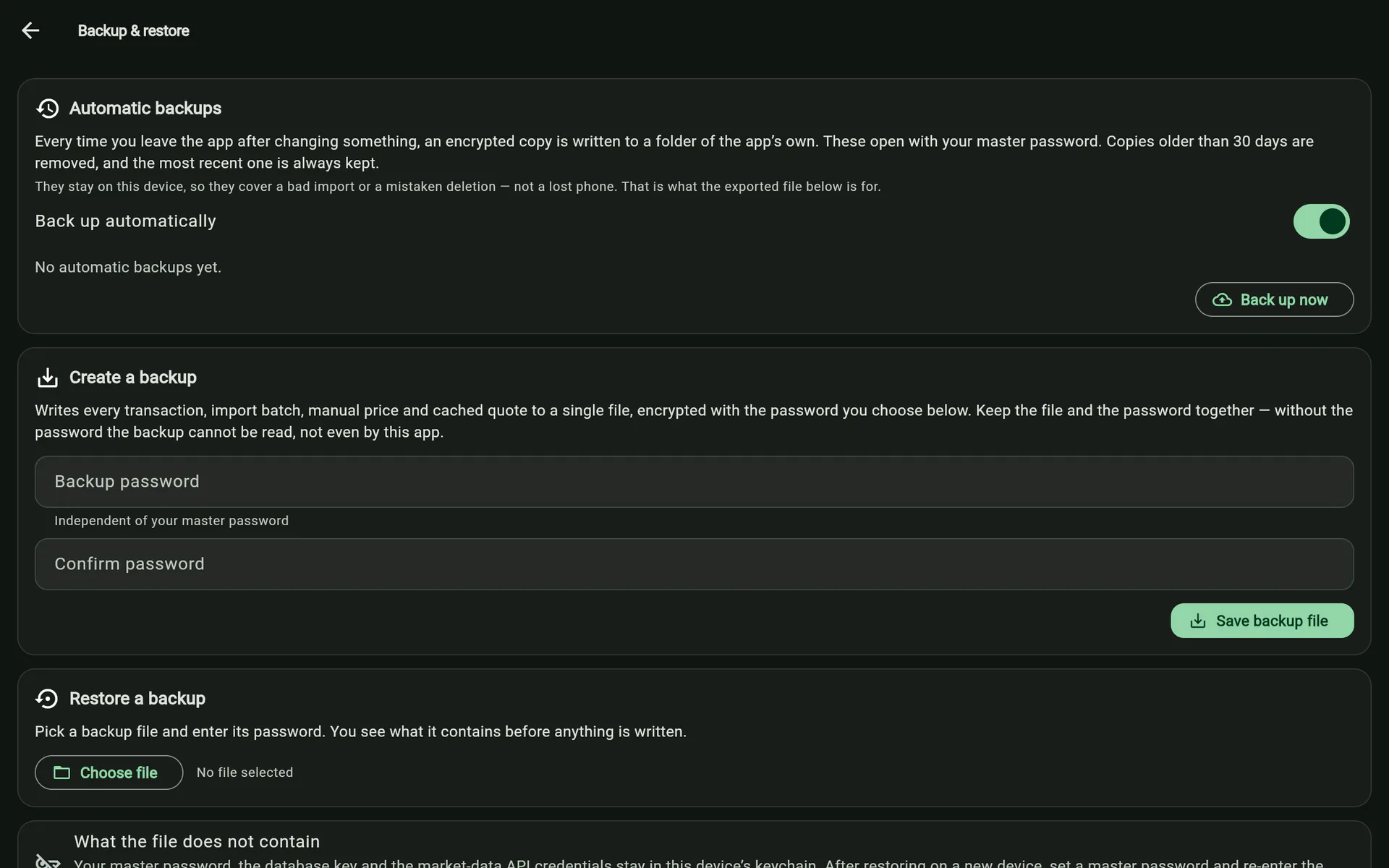
Re-importing your statements gets most of a portfolio back. It does not get back manual entries, re-tagged categories, opening positions, or hand-typed prices — there is nothing to re-import those from. That gap is what this exists to close.
Automatic backups
Every time you leave the app after changing something, one encrypted copy is written into the app’s own folder. Nobody remembers to export before the import that goes wrong, which is the whole argument for it being automatic, and it is on by default — a safety net nobody switched on is a safety net nobody has.
Some details that matter:
- “After changing something” is enforced, not assumed. It watches the boxes holding data — transactions, imports, manual prices, symbol preferences — and deliberately not the caches, or every price refresh would look like a change worth backing up. Leaving with nothing changed writes nothing.
- Retention is 30 days, except the newest, which is kept however old it is. A rule that can empty the folder is a rule that can delete your only copy; an app not opened for a year must still hold the last picture of the portfolio.
- An emptied database is never backed up over the last good copy. A wipe is a change like any other, so the check is explicit — otherwise “delete all data” would spend the one slot retention can never reclaim.
- Every way out of the app is covered, because they differ per platform: the mobile background transition, the process being killed, and a desktop window close — which is awaited, so the file is on disk before the app is allowed to exit.
They are ordinary backup files in every respect and open with your master password. That works without ever prompting you because the keychain holds the password’s derived key — not the password — written during the operations that had already computed it.
They live on this device, so they cover a bad import, a mistaken deletion or a corrupted database. They do not cover a lost phone. The screen says so.
The manual export
One file: a readable JSON envelope around an AES-256-GCM payload, keyed from a backup password you choose, through the same key derivation the app uses for everything else. A password is mandatory and at least eight characters — the database is encrypted at rest, so a plaintext export would be the weakest link in the whole design.
The envelope stays readable so the app can reject a wrong file, or one from a newer format version, before asking for a password. That is what lets it tell you “this is damaged” separately from “that password is wrong”, which AES-GCM alone cannot distinguish.
What travels: transactions with their identity and category overrides, import batches, manual prices, symbol preferences, every cache worth restoring, and the non-secret settings. What does not: the database key, the master password and your market-data API credentials. Those live in the OS keychain and are re-typed on the new device — a backup file gets copied around, and keychain secrets should not.
Nothing about the install feeds the encryption key, so a file written by an older build stays readable forever.
Restoring
Merge is the default: what is here stays, what is missing is added. Transactions are recognised by the importer’s own identity rule, so merging the same file twice changes nothing; a local manual price is never clobbered, since it is a deliberate current override; caches take the backup’s copy only when it is newer.
Replace wipes and reproduces the backup exactly, ids and all — the new-device and disaster-recovery path, behind a confirmation.