What Flick does
Features
A dashboard you arrange yourself, a card for every kind of device, live status from every hub you own, scenes that confirm they actually ran, and five skins to make it look how you want.
Flick is built around one idea: the app should show you your home, not a list of accounts. Every device from every hub lands in the same place, on tiles you position yourself, and every tile does the thing that device is for.
The pages below go through each part of the app in detail.
One dashboard for everything
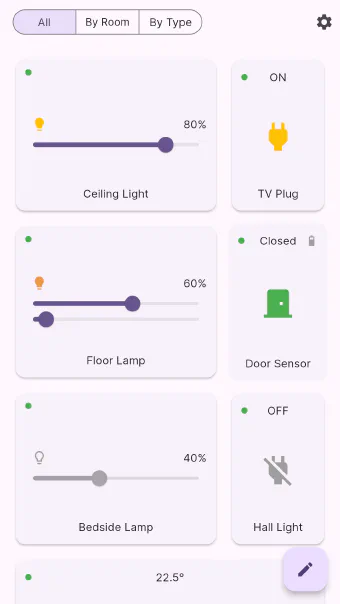
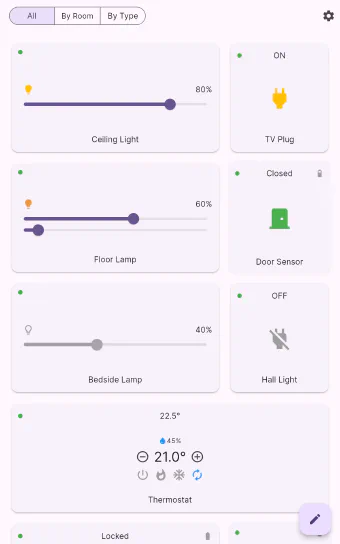
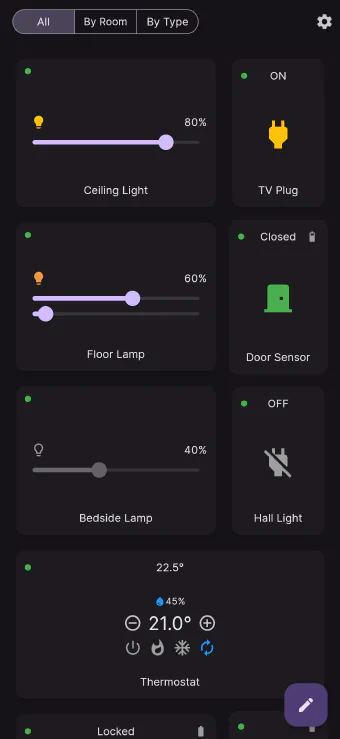
The "All" view is your home in one place: lights, plugs, the thermostat, the lock, sensors, the siren, scene buttons — every device from every hub, on one scrolling page of tiles.
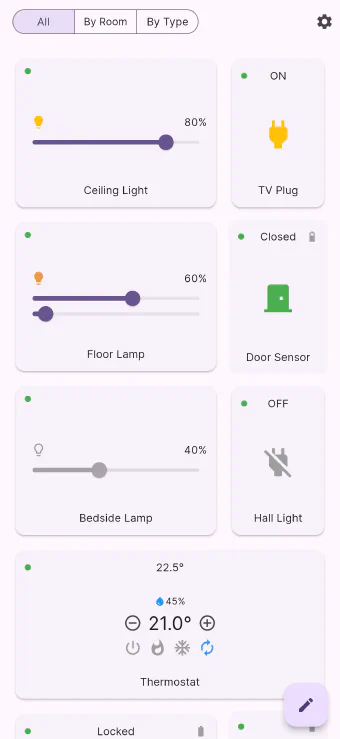
A layout you arrange yourself
Long-press a tile — or tap the pencil — and the grid goes into edit mode. Drag tiles into position, push the ones you rarely touch onto a second page, and put the four you use every day where your thumb already is.
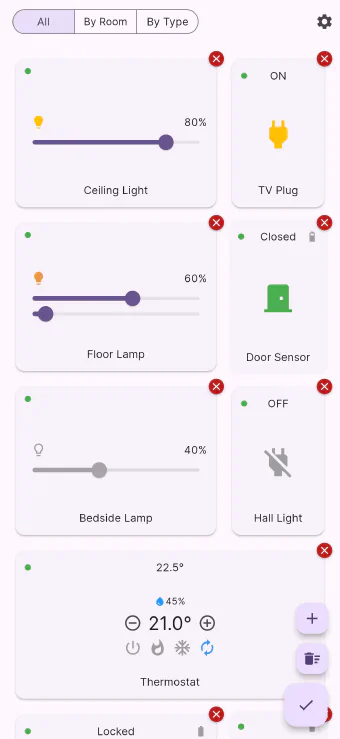
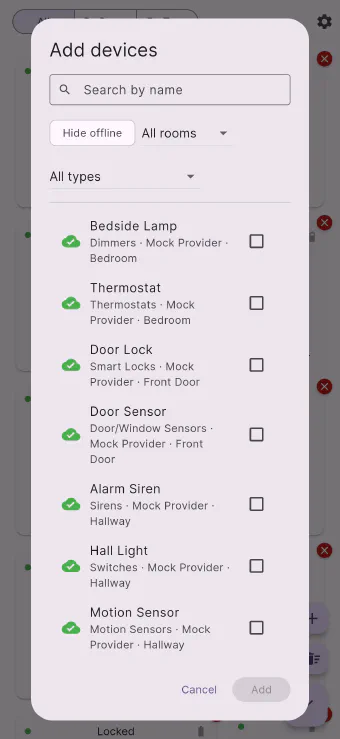
Only the devices you want on screen
A house can have a hundred devices; a dashboard should not. The picker lets you search and filter your way to the handful you actually touch, tick them, and add them all at once.
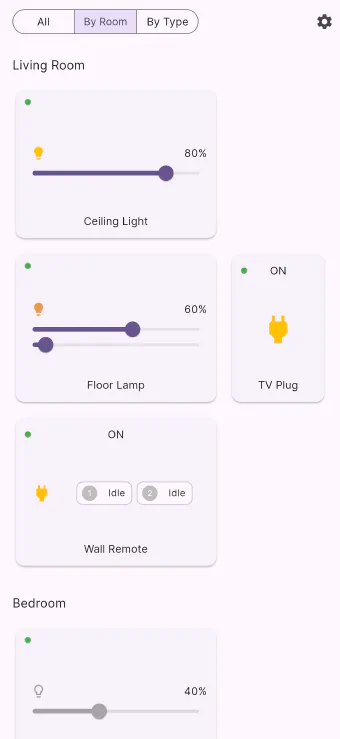
Room by room, or type by type
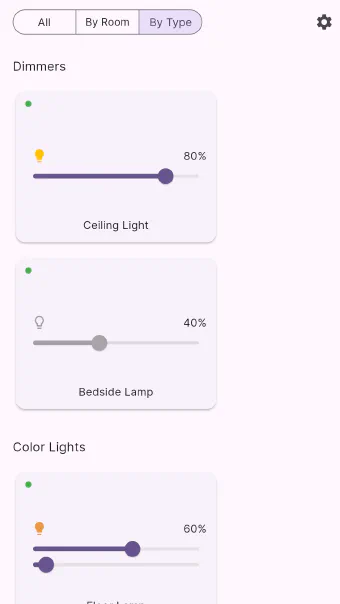
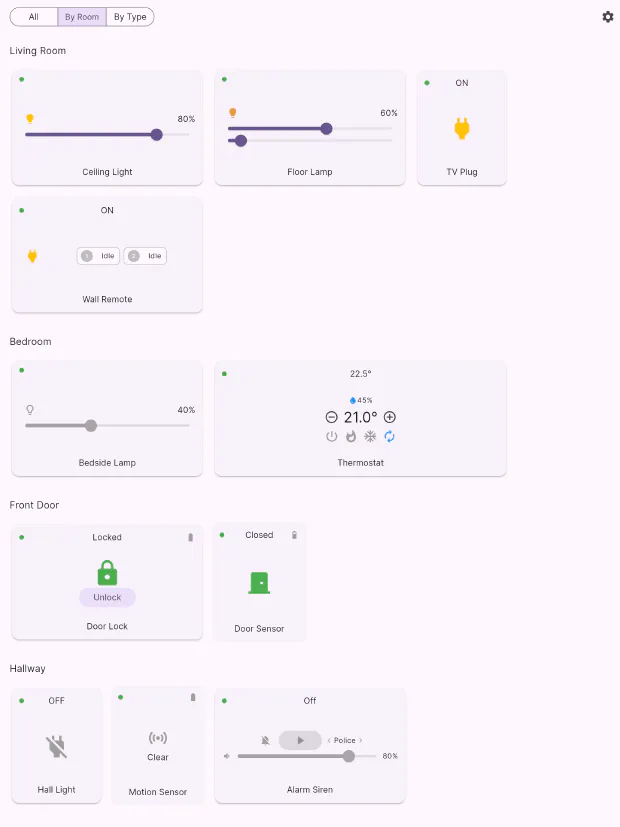
Sometimes you want the room, not the dashboard: "everything in the kitchen", or "every light in the house". Two tabs, both kept up to date for you, no arranging required.
A card that matches the device
A dimmer is not a switch and a lock is not a light. Every class of device in Flick has a card designed around what it can actually do, and it shows the extras — battery, humidity, power draw, tamper — right where you look.
Live status that never gets in your way
Flick keeps a live connection to every hub, so a light someone switches at the wall updates on screen by itself. And when the reported state is stale or unknown, Flick tells you instead of guessing — while still letting you act.
Scenes that confirm they ran
Pick any devices you like, choose the state you want each one in, name it and put it on the dashboard. When it runs, Flick keeps checking until every device reports the value you asked for — and tells you if one doesn't.
Cameras next to everything else
Camera tiles show the latest still, and tap through for live video, arm/disarm, a fresh snapshot, the floodlight, and every clip your cameras have recorded — no second app to open.
Five skins, one tap apart
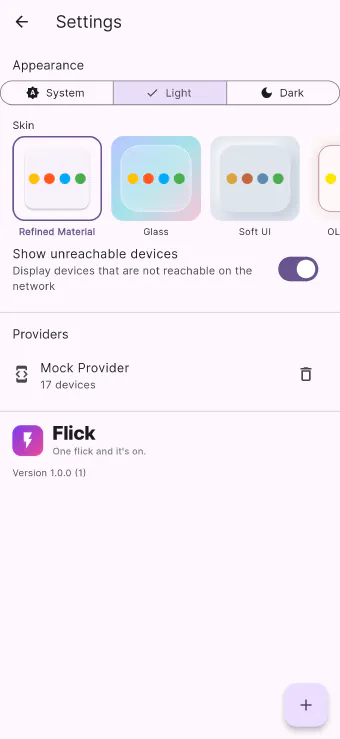
A skin restyles the whole app: card shapes, surfaces, backgrounds, icons and accent colours. Five ship with Flick, and switching between them takes one tap in settings.
Light, dark, or whatever your system says
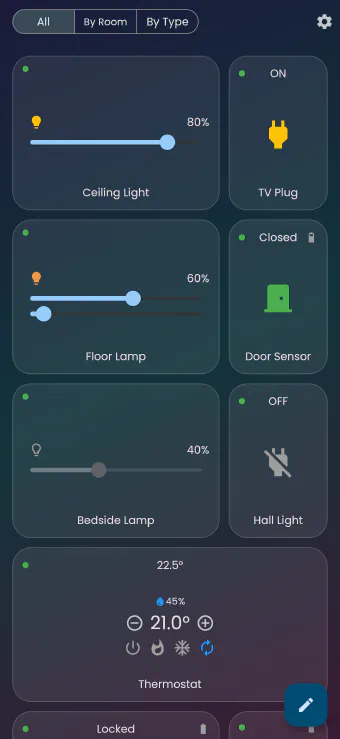
Light, dark, or System — a three-way switch at the top of settings. Every skin is designed in both, so switching theme never lands you in an unfinished-looking screen.
Bring your own hubs
Flick connects to the equipment you already own — smart home hubs, security cameras, air conditioners — and merges them all into one home. Add a connection in settings and its devices simply appear.
The same home on every screen
Flick is a single app that runs on your phone, your tablet, your laptop and a wall-mounted screen, adapting the grid to the space available instead of stretching a phone layout across a monitor.
Get Flick
Free to download, on every screen you own.