Grouped views
Room by room, or type by type
Two generated views that always show everything, for the times your curated dashboard isn't what you need.
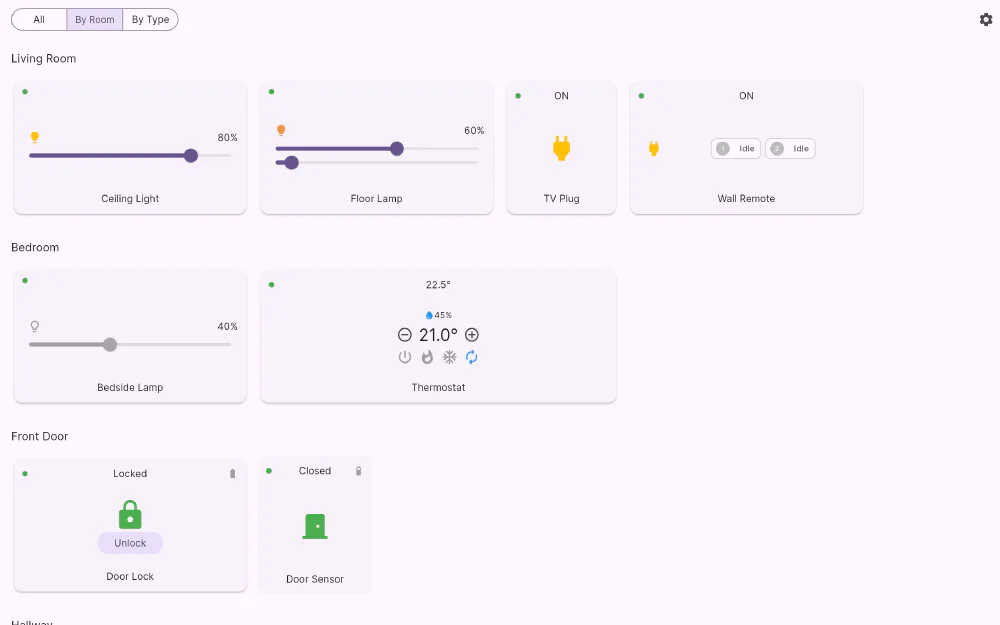
The dashboard shows what you chose. These two views show everything, organised without you having to lift a finger.
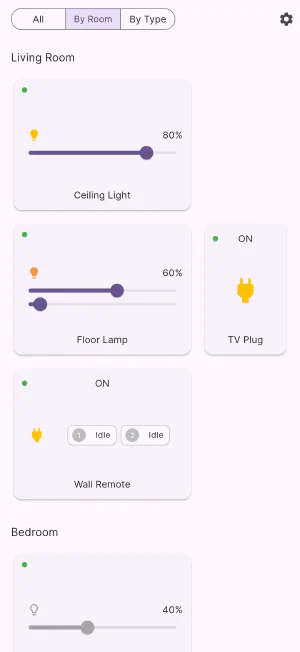
By Room
Devices are grouped under the room names your hub already uses, so the structure matches the way you set the house up in the first place. Anything without a room assignment is collected under Unassigned at the end, which makes it a practical to-do list: whatever sits there is a device you never got round to naming properly.
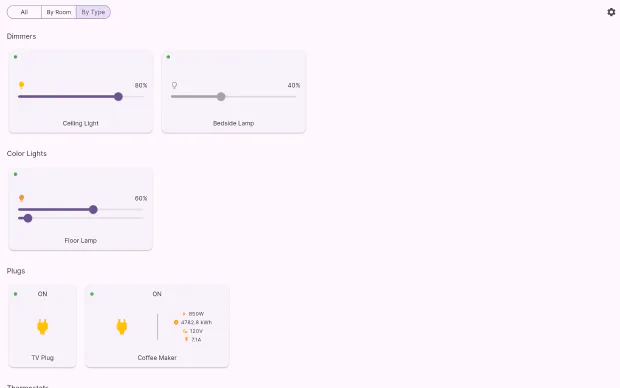
By Type
The same devices, grouped by what they are: dimmers, colour lights, plugs, thermostats, air conditioners, locks, motion sensors, door and window sensors, temperature and humidity sensors, sirens, scene controllers, cameras. This is the view for “turn off every light” evenings, or for checking every battery-powered sensor in one pass.
Always complete, always current
Both views are generated from the live device list, so they need no maintenance. Pair a new sensor and it appears under its room and its type straight away, without touching your dashboard layout. That division of labour is the point: your dashboard is a considered arrangement of the things you use daily, and these two views are the exhaustive index behind it.
If you would rather not see devices your hubs report as unreachable, there is a single switch in settings — Show unreachable devices — that applies to both views.
Get Flick
Free to download. Bring your own hub — Flick talks to the equipment you already own.