
ArgoCD
Sync, refresh, restart and roll back applications — with the app’s resource tree, events and pod logs on the detail page.
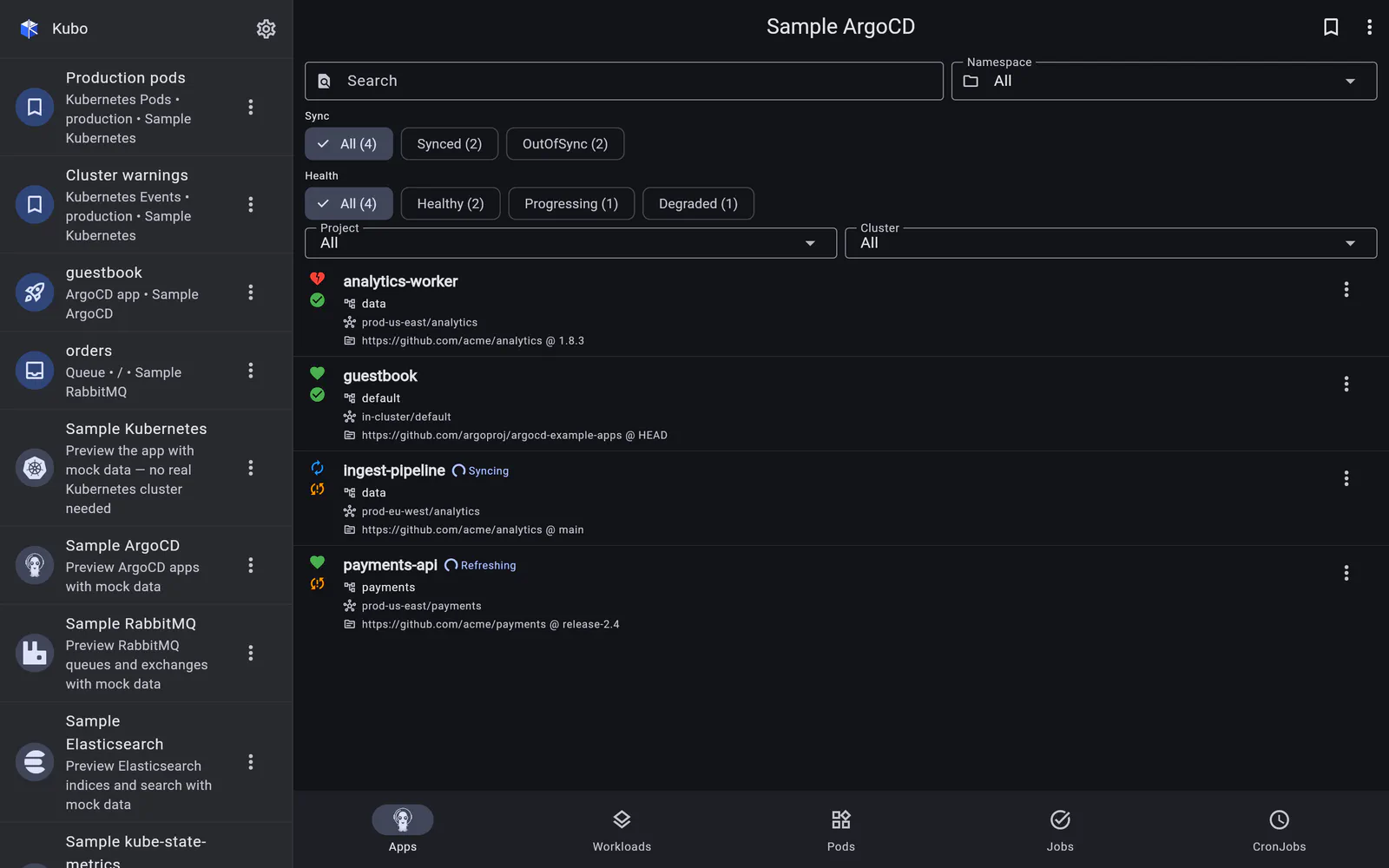
An ArgoCD instance is a top-level connection, peer to a Kubernetes cluster rather than something nested inside one — because a single ArgoCD manages many destination clusters, and the app you need at 2am may not be on the cluster you happen to have added.
You add it with a server URL plus either an API token or a username and password, and open
it as its own screen. The application list updates live over ArgoCD’s watch stream
(/api/v1/stream/applications, with reconnect), with search and filters for sync status,
health, project and destination cluster.
Tokens that expire, handled
ArgoCD session tokens are short-lived. With username/password auth, Kubo mints and caches the session token per instance and auto-refreshes it on a mid-watch 401 — re-minting from the stored password and rebuilding the connection transparently. You are only prompted to log in again if the stored password itself is rejected, and the re-login dialog saves credentials so the next expiry is handled the same way.
Pasted API tokens are stored as plain reusable credentials in the credentials manager.
In detail
The application list
Every app with its sync state and health, live over the watch stream, with search and four filters.
Read →Refresh, sync, restart, rollback
The four operations worth having on a phone, from the list row menu or the detail page — including a history picker for rollbacks.
Read →Application detail & logs
The managed resource tree grouped by type, the app's Kubernetes events, and streaming pod logs that bookmark the workload rather than the pod.
Read →