
Elasticsearch
Lucene search over an index with a field explorer, three result layouts, a time-range filter and a live tail.
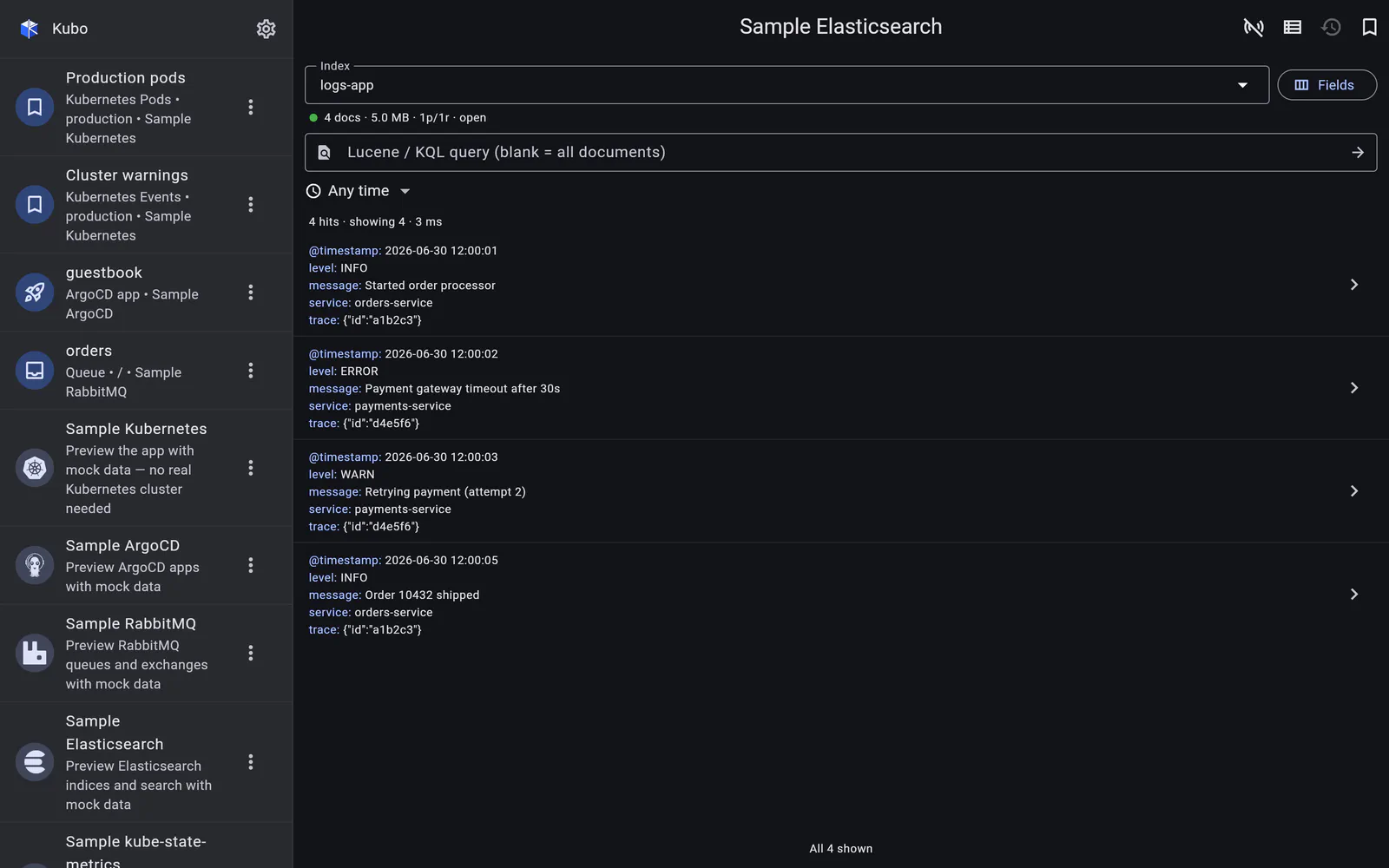
An Elasticsearch cluster is a top-level connection — a URL plus either an API key or Basic auth, with an optional CA — and it opens as a single Search view.
There is deliberately no separate “indices” tab. The index is chosen from a searchable
picker modal that shows health, document count and size per index (from _cat/indices)
and can hide system indices, with those same stats repeated inline under the field once one
is selected. An index list is something you use to search, not a destination.
Everything else — the query language, the columns, the layouts, the tail — is covered in the pages below. If you also run OpenObserve, the two log screens are built to the same brief on purpose, so what you learn on one transfers.
In detail
Searching an index
A query_string (Lucene/KQL) search that runs on submit, pages by infinite scroll, and is bounded by a relative time range.
Read →Fields, layouts & sorting
A field explorer over the mapping, three ways to render the hits, and server-side sorting where the mapping allows it.
Read →Live tail
Polling newest-first by the index's timestamp, with auto-pause when you scroll away and `search_after` paging into older documents.
Read →