Entity pages & Find
One page per deployment, pod, service or namespace that gathers what every connected provider knows about it — and a search that finds it by name.
Kubo is organised around connections, because that is how you add things. But when
something breaks you are thinking about a thing — the checkout deployment — not about
which of six tools has the answer. Every Kubernetes object row has Everything about
this, and that opens its entity page.
What’s on the page
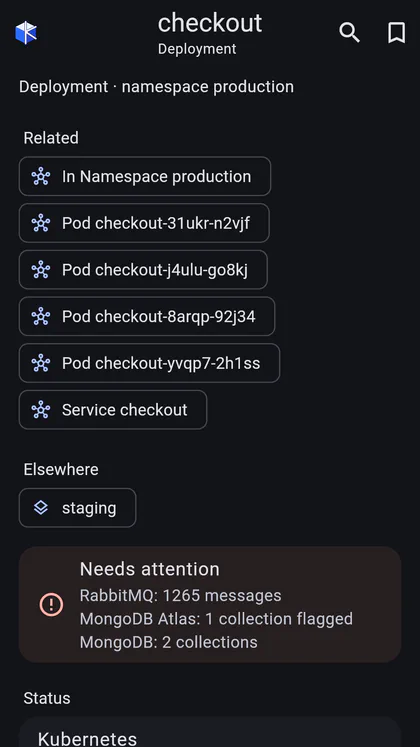
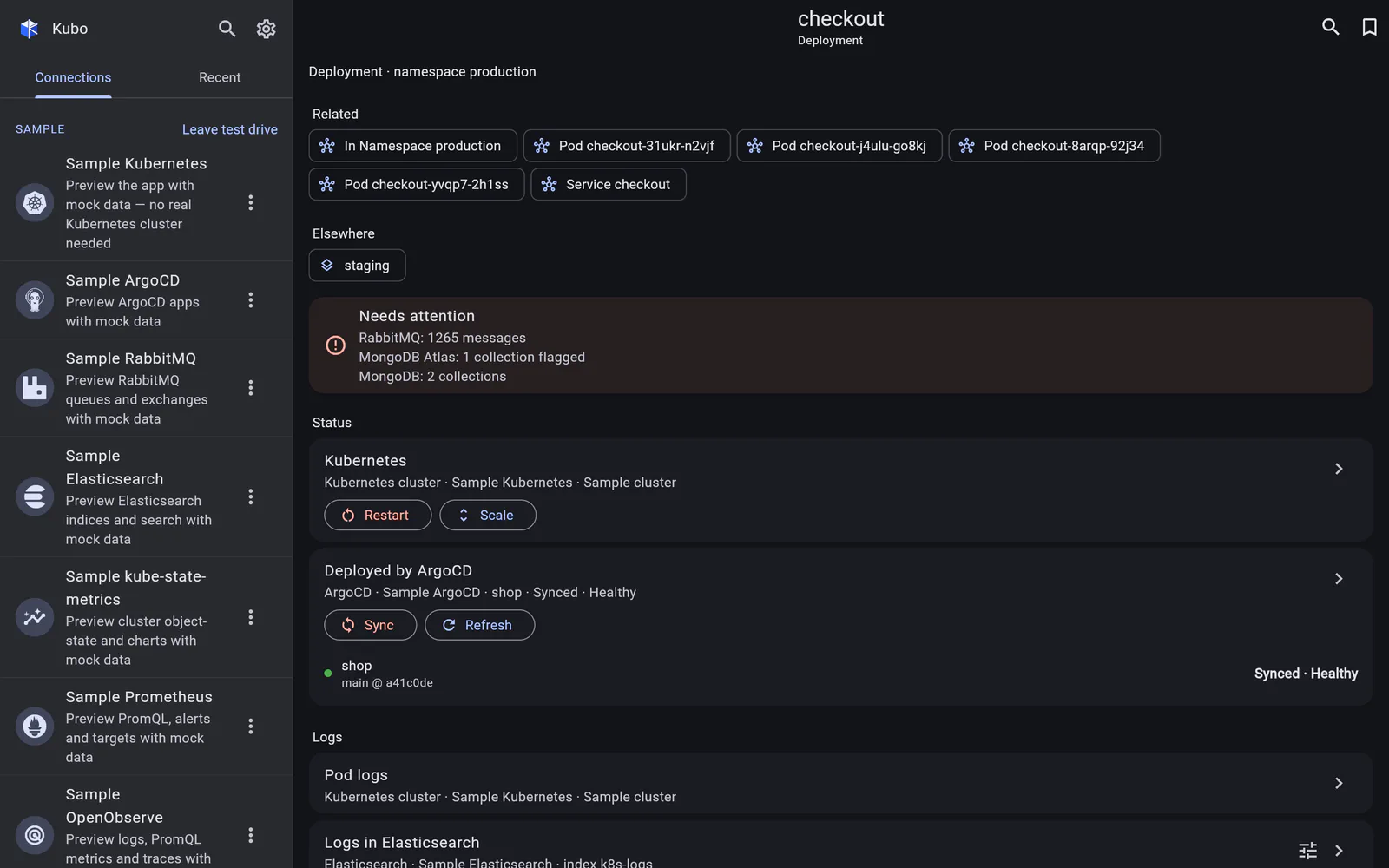
- a health headline rolled up from every provider’s preview — “RabbitMQ: 1,265 messages · Atlas: 1 collection flagged” — so the reason to scroll is at the top;
- related objects: a pod’s owner, the services selecting it, its node, its namespace; a workload’s pods; a CronJob’s jobs;
- elsewhere — the same name in other namespaces or clusters, labelled with their
environments, so
stagingis a tap fromproduction; - your bookmarks about it, found automatically;
- then one row per provider that knows this thing — status, logs, metrics, events, terminal — each with a small live preview and its actions: restart, scale, sync, refresh, run now, open a shell. Actions still go through the usual confirm.
It works without Kubernetes
Entities are gathered from every provider, not only the cluster. If you only connect ArgoCD and OpenObserve, the workloads ArgoCD deploys and the services your logs mention still have pages, still show up in Find, and still link to each other.
Mapping the ones that can’t guess
Some providers find a workload by themselves — Prometheus by the usual cAdvisor labels, ArgoCD from its apps’ resources, RabbitMQ by a queue named after the workload. Others need telling once: which log stream and fields hold a pod’s logs, which index, which bucket folder holds a CronJob’s backups. Connect more providers on the page offers them, and each one asks with a short wizard that suggests the fields it found and shows the result for this entity before you save. The rule is saved on that provider’s connection and covers every similar entity from then on.
Find
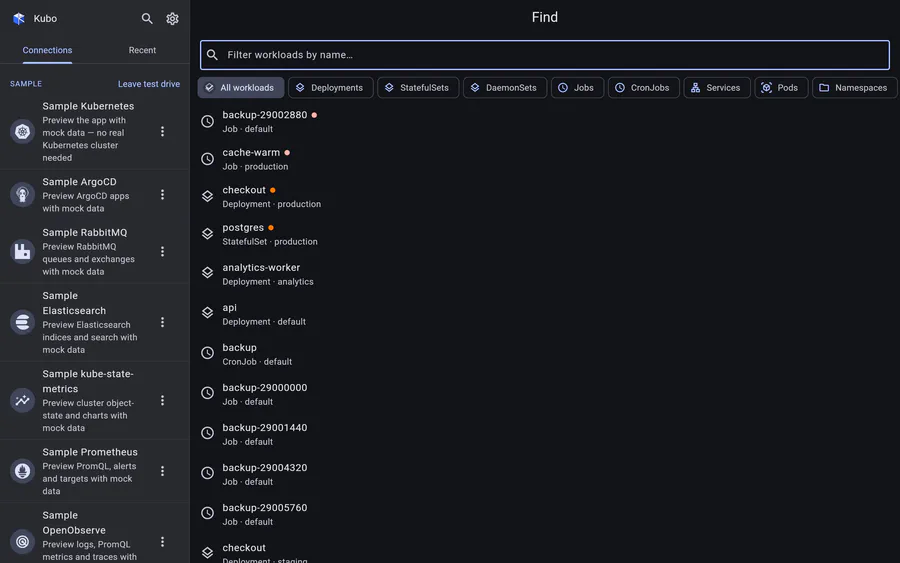
Find lists every workload any provider knows about — Deployments, StatefulSets, DaemonSets, Jobs and CronJobs — with the unwell ones first, marked with a dot. Kind chips narrow it; type a name to search everything. The command palette finds entities by name too.
Environments
Name your environments — production, staging — and say which namespaces (on which connections) belong to each. A filter at the top of Find then shows one environment at a time, and every entity page says which one it is in. An entity can be in several, or none.
Screens