
kubectl console
Build a kubectl command by tapping suggestion cards, then run it — translated into plain API calls, printed the way kubectl would.
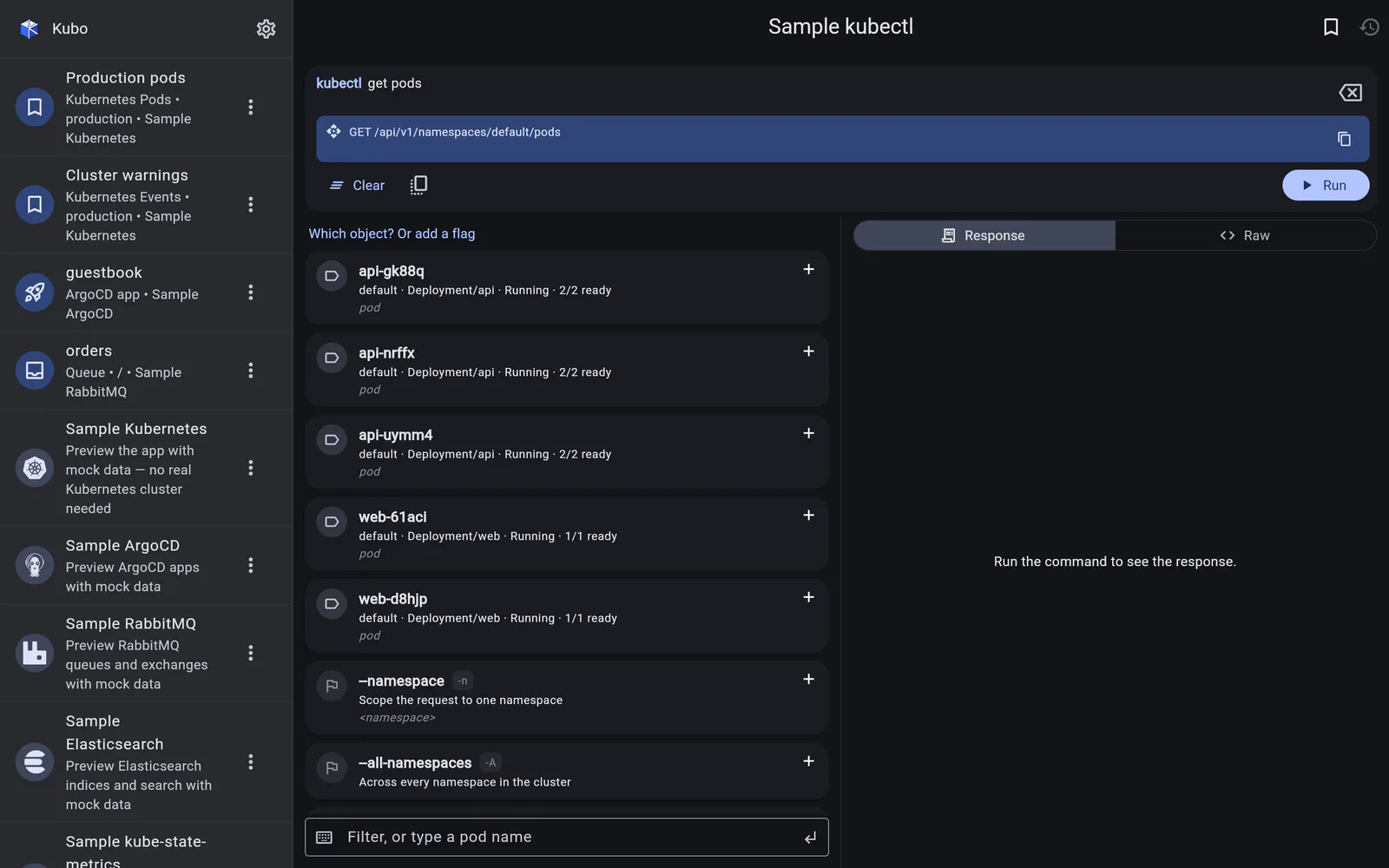
The kubectl console is not a terminal emulator. It uses kubectl syntax as an input
language for an API client: kubectl get pods -n kube-system becomes
GET /api/v1/namespaces/kube-system/pods, and the JSON that comes back is formatted into
the table kubectl would have printed.
That distinction is what makes it work on a phone — and what makes it safe. There is no
shell to escape from, and the verbs that need one are deliberately absent: apply, exec,
edit and port-forward are not in the grammar. (Pod shells have
their own screen.)
It is also the one connection type that configures no endpoint and no credentials — see setting one up.
In detail
Building a command
The next word offered as cards with descriptions, live values pulled from the cluster, and a free-text box that both filters and commits.
Read →Running it
Translation into REST calls, kubectl-style output, a live request preview, and a Raw view built for bug reports.
Read →Setting one up
No endpoint, no credentials — a console names a cluster you have already added, and bookmarks its command.
Read →