
Building a command
The next word offered as cards with descriptions, live values pulled from the cluster, and a free-text box that both filters and commits.
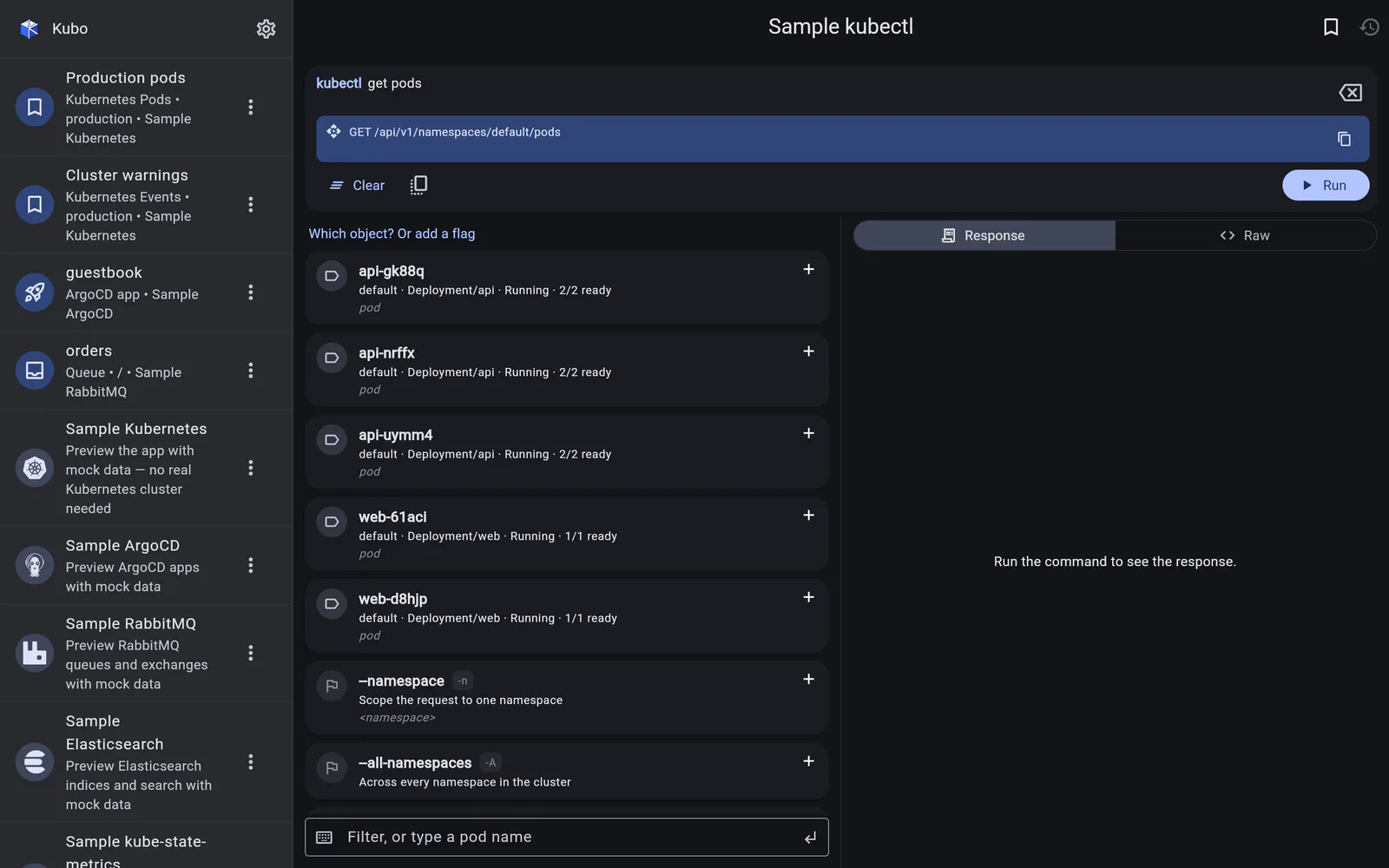
The command is built one word at a time. At each step the console offers what could come next as cards, each with a one-line description and an example, and tapping one appends it. The card list then refreshes from the new command state.
Below the cards is a free-text box that does two jobs: it filters the cards as you type, and it can be committed as a literal token for the things that cannot be enumerated — names, selectors, numbers.
Suggestions come from the cluster
Where it helps, the cards are live values, not a static list: namespaces, object names, container names.
Pod cards carry the context a generated name lacks:
default · Deployment/web · Running · 2/2 ready
web-6b7f8c-x9k2p tells you nothing on its own. So the console reduces the ReplicaSet a
Deployment owns its pods through (web-6b7f8c) to the workload people actually think in
(Deployment/web), and shows namespace and health alongside.
The filter also matches a hidden keyword channel, not just the visible text — so typing a namespace narrows the cards even on a screen where the namespace is not printed on them.
What the grammar covers
A curated set, chosen for what is useful away from a laptop:
| Read | get, describe, logs (including -f), top, api-versions, version |
| Write | delete, scale, rollout and its subcommands |
| Output | -o wide, -o yaml, -o json, -o name, plus per-verb flags |
| Types | 26 resource types with their short names, groups and versions |
Every entry carries the one-line summary its card shows, so the console explains itself as you build.
Back to kubectl console.