
Kubernetes
Pods, workloads, jobs, cronjobs, services and events — live over the watch API, with the actions you actually need on call.
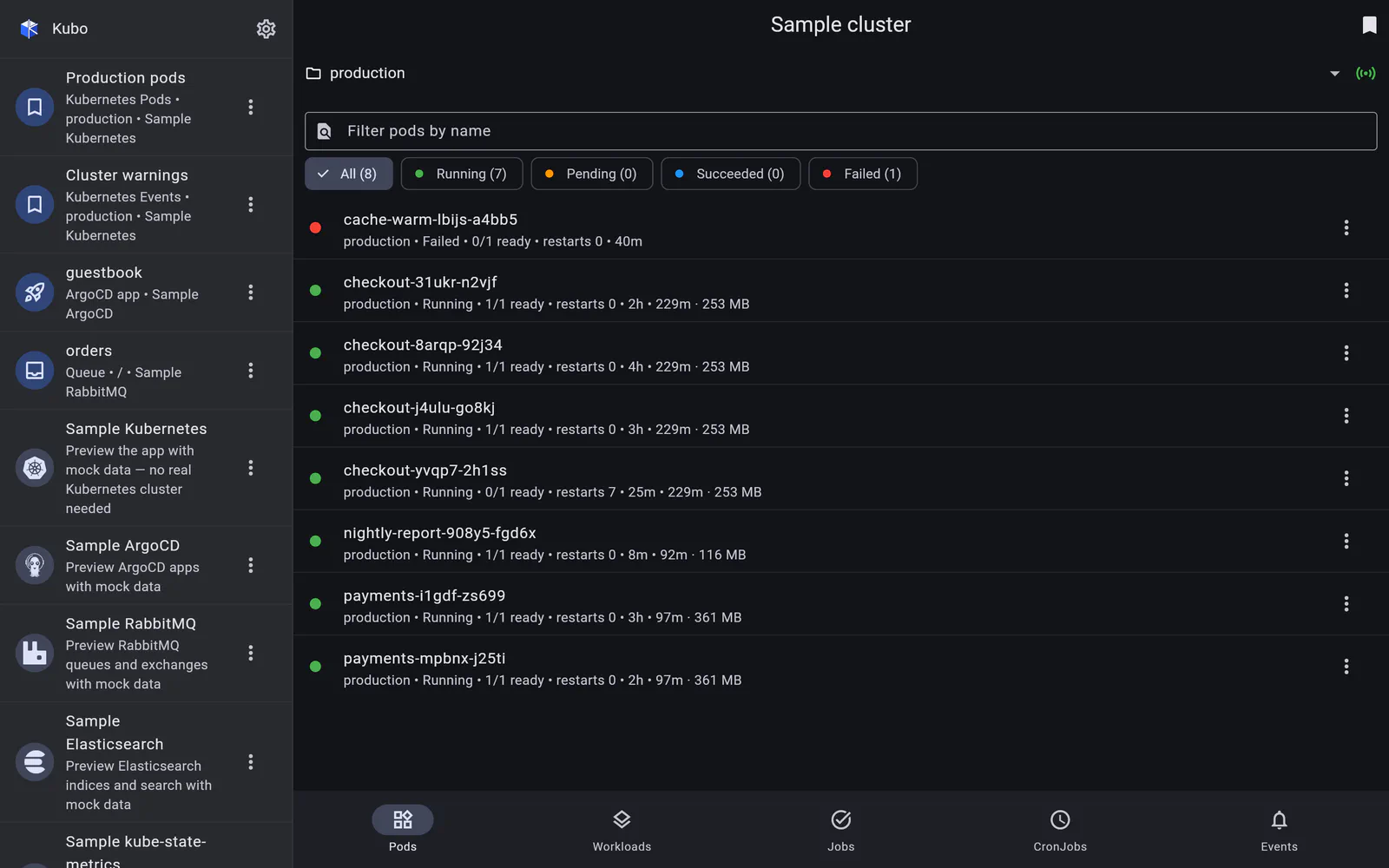
Kubo talks to the Kubernetes HTTP API directly — no kubectl binary, no shelling out, no
wrapped web console. Each resource tab is a live list backed by the watch API: an
initial list, then a streamed ?watch=1 connection that applies ADDED / MODIFIED /
DELETED in place, reconnecting on timeout and re-listing on a 410 Gone. Turn live
updates off and it falls back to a one-shot list with pull-to-refresh.
A namespace bar scopes every tab at once, so picking production once carries through
pods, workloads, jobs, services and events.
Two ways in
Most clusters worth managing are not on the public internet, so there are two supported
paths: the Tailscale operator’s API-server proxy, which authenticates by tailnet
identity and stores no cluster credentials at all, and a direct connection with a
bearer token or a client certificate. EKS clusters are signed into natively — the app
mints the same token aws eks get-token would, so a kubeconfig that needs an exec plugin
is not a dead end. See Access, auth & credentials.
What degrades quietly
Three things are optional in a cluster and are treated as optional here: metrics-server
usage, events and CoreDNS discovery. Each is detection-gated — a Forbidden or
NotFound on first use means “this feature is off”, so the UI omits it (or shows an
RBAC-aware note) instead of throwing up an error screen.
In detail
Pods
A live pod list with phase facets and metrics-server usage, and a detail page with charts, conditions and the pod's own events.
Read →Workloads, Jobs & CronJobs
Scale and restart Deployments and DaemonSets, suspend and resume Jobs, trigger a CronJob run — with merged logs and read-only YAML.
Read →Services
Every address a Service answers on, one tap from the clipboard — with the cluster's DNS zones discovered rather than assumed.
Read →Events
The aggregate events feed, live, with a Warning/Normal facet and a deep link straight to the resource each event is about.
Read →Live logs & pod terminal
Stream logs from a pod or a whole workload, filter them as they arrive — and get a real interactive shell inside a container.
Read →