
Events
The aggregate events feed, live, with a Warning/Normal facet and a deep link straight to the resource each event is about.
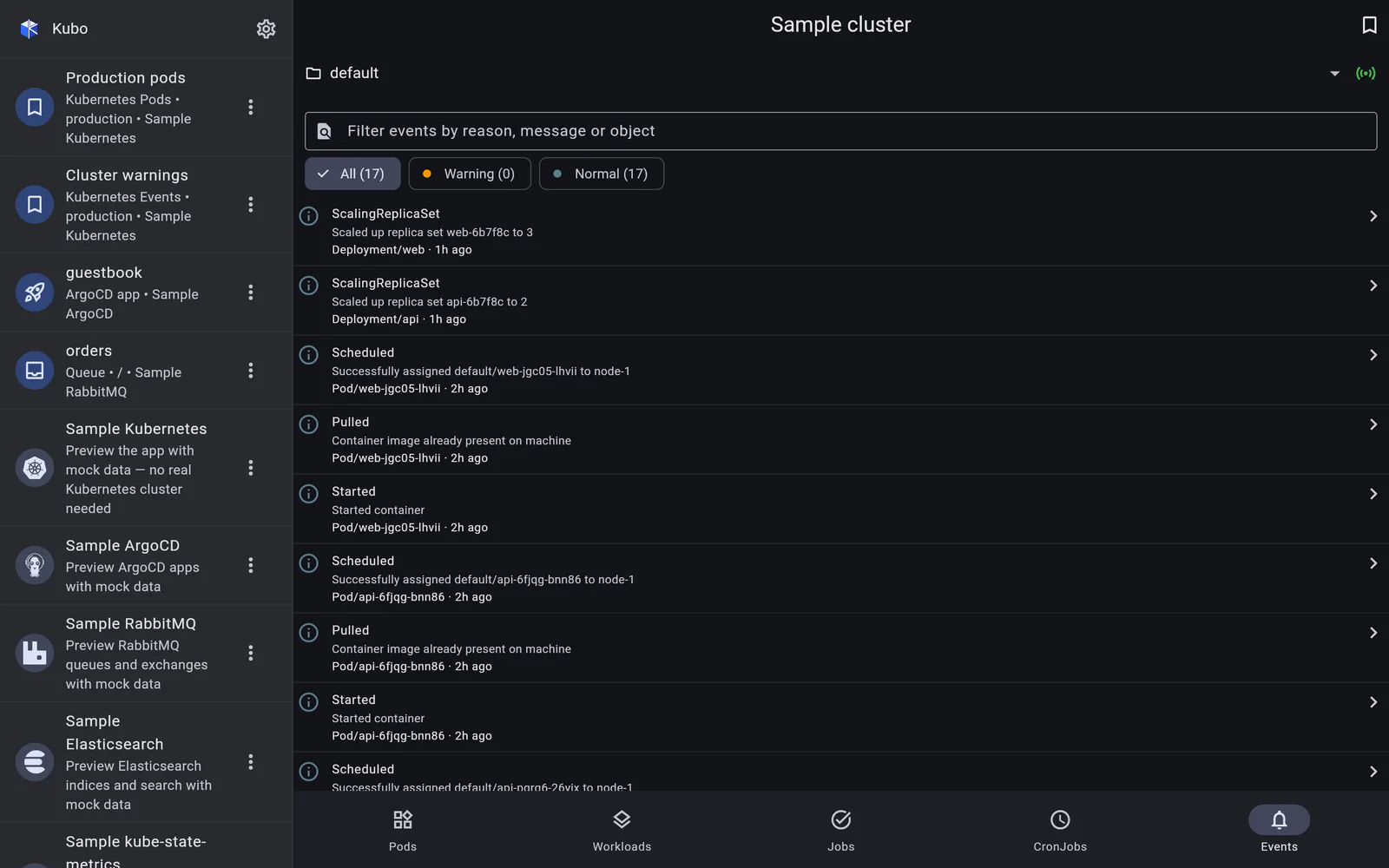
The Events tab is the aggregate kubectl get events view: namespace-scoped when a
namespace is selected, cluster-wide otherwise, newest first, and live over the watch
API like every other list in the app. A Warning/Normal facet and a free-text search
over reason, message and involved object narrow it down, and the whole filtered view is
bookmarkable.
Rows that go somewhere
The part that matters on a phone: each row navigates to the resource the event is about, whenever Kubo has a page for it.
| Involved object | Where the row takes you |
|---|---|
| Pod | The pod’s detail page |
| Deployment / DaemonSet | The Workloads tab, filtered to that name, with the right segment selected |
| Job | The Jobs tab |
| CronJob | The CronJobs tab |
| Service | The Services tab |
Each of those selects the involved namespace first, so the destination actually shows the object rather than an empty list scoped somewhere else.
The same event tile is reused on the pod detail page, where it lists that pod’s own
events (fetched with a field selector on the involved object) — so the trail of
Scheduled → Pulled → Created → Started, or the BackOff that broke it, sits directly
under the container list.
When events are not available
Reading events is an optional RBAC permission. Kubo distinguishes the two cases that look identical in most tools:
- “No events reported” — the list is genuinely empty;
- “Events not available” — the API returned Forbidden or NotFound, with an RBAC-aware note explaining what permission is missing.
The tab shows a note instead of an error screen, and the rest of the app carries on.
Screens
Back to Kubernetes.