
Nodes & Volumes
The cluster-wide pages: nodes worst first with a root shell one tap away, and every PersistentVolumeClaim with how full it actually is.
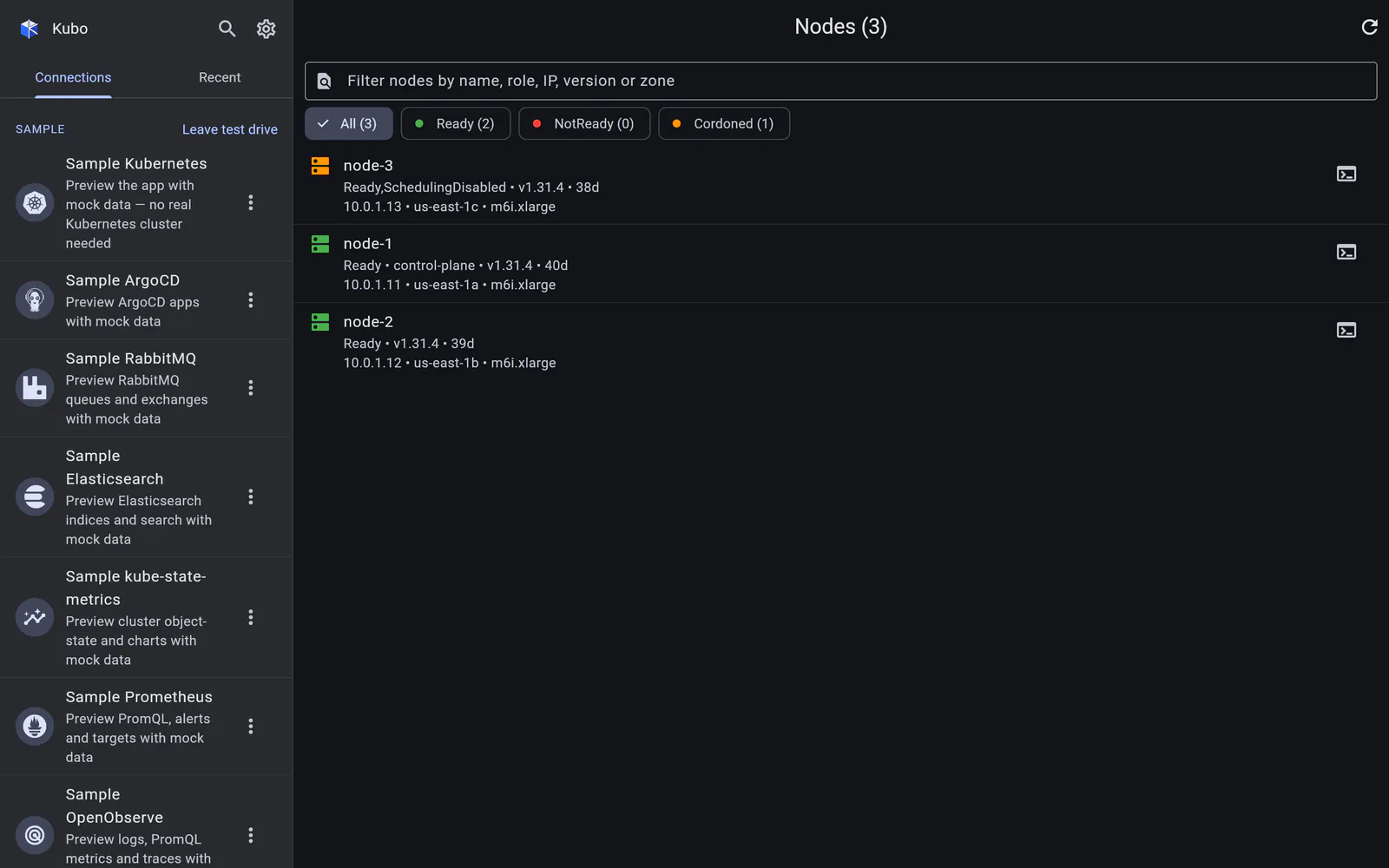
Nodes and volumes don’t belong to a namespace, so they aren’t tabs that follow the namespace bar. They are pages of their own, opened from the buttons in the resource app bar or from the command palette.
Nodes
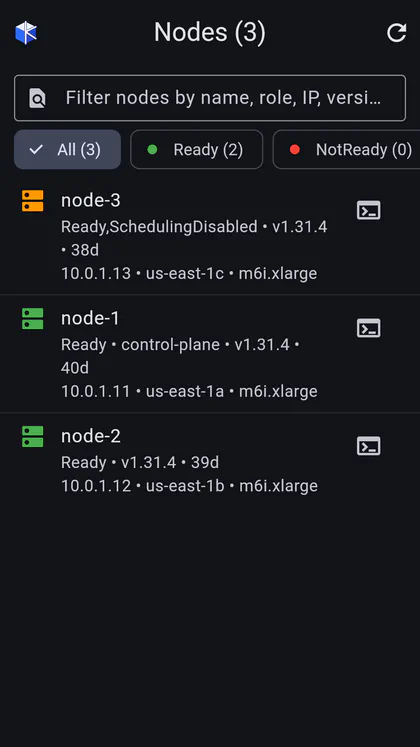
The kubectl get nodes view, live over the watch API and sorted worst first:
NotReady, then nodes under memory, disk or PID pressure, then cordoned ones. A
Ready / NotReady / Cordoned facet narrows it, and the search covers name, role, IP,
kubelet version, zone and taints.
Each row reads the way kubectl prints it — Ready,SchedulingDisabled — with roles,
version, age, internal IP, zone, instance type and any pressure. Tapping a row opens a
details sheet: conditions, taints, capacity against allocatable, and the system info
(kernel, OS image, container runtime).
The terminal button on a row opens a root shell on that node through the API server — no SSH keys. If you have mapped an SSH host to your nodes, the details sheet offers that too.
Volumes
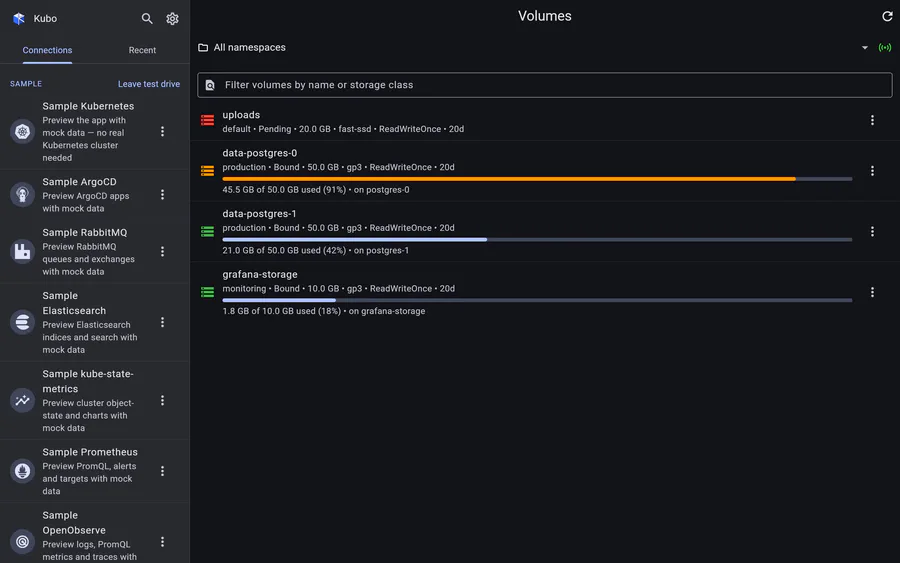
Every PersistentVolumeClaim in the selected namespace (or all of them): its status, size, storage class, access mode and age, and how full it is. The fill comes from the kubelet’s own stats summary, read through the API server’s node proxy, so it needs no metrics stack — and when that permission isn’t granted the page simply leaves the bar out. Unbound claims come first, then the fullest — which is usually why you opened the page.
Screens
Back to Kubernetes.