
Workloads, Jobs & CronJobs
Scale and restart Deployments and DaemonSets, suspend and resume Jobs, trigger a CronJob run — with merged logs and read-only YAML.
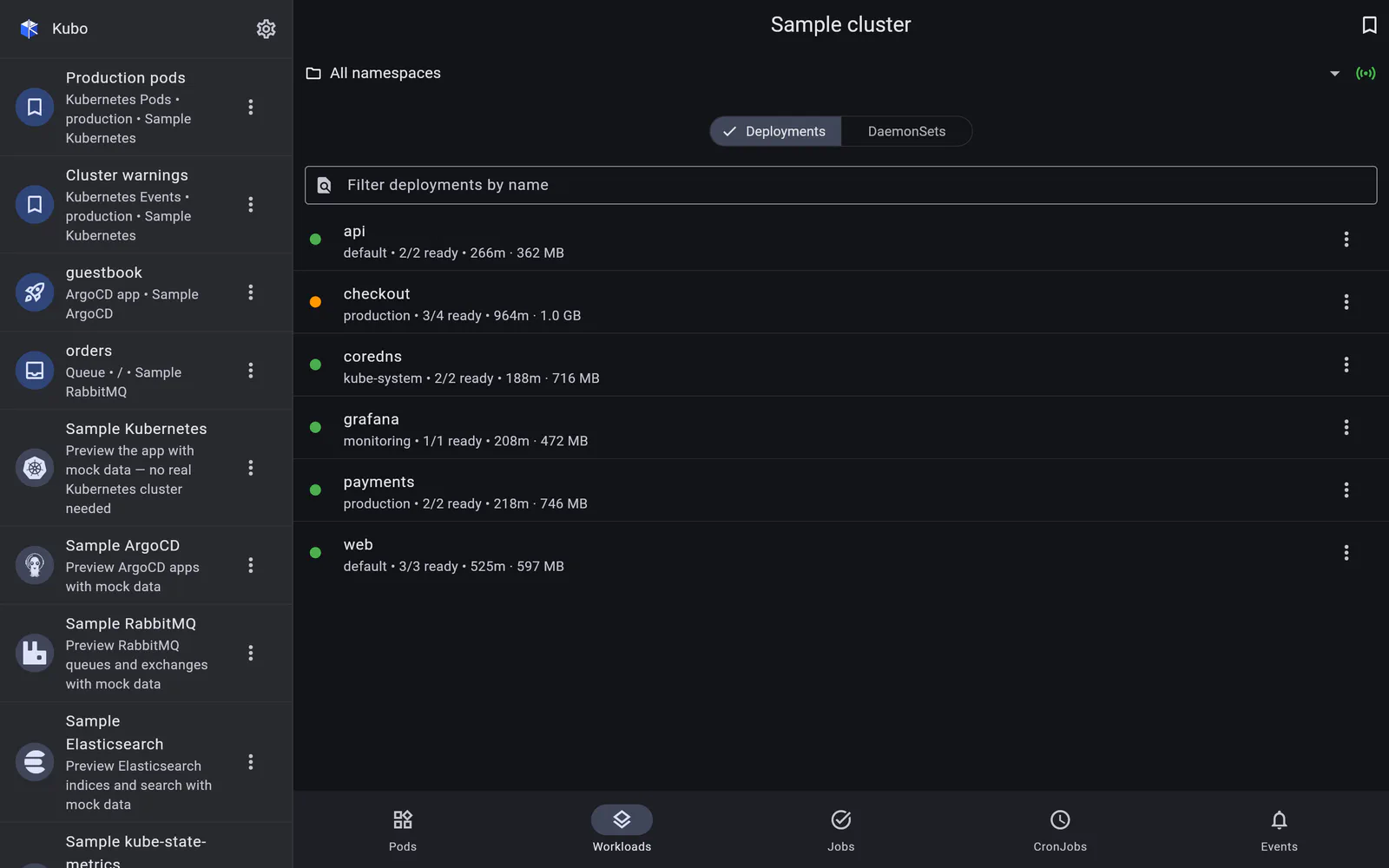
Deployments and DaemonSets
The Workloads tab is a segmented view over Deployments and DaemonSets, showing ready and desired replicas, images, age, and CPU/memory summed from the pods each workload owns.
Actions:
- Scale (Deployments) — a replica count, applied as a scale subresource patch;
- Rolling restart — the same annotation bump
kubectl rollout restartwrites, so the controller does the work and the rollout is a normal one; - View logs (all pods) — see below;
- View YAML — read-only.
Jobs
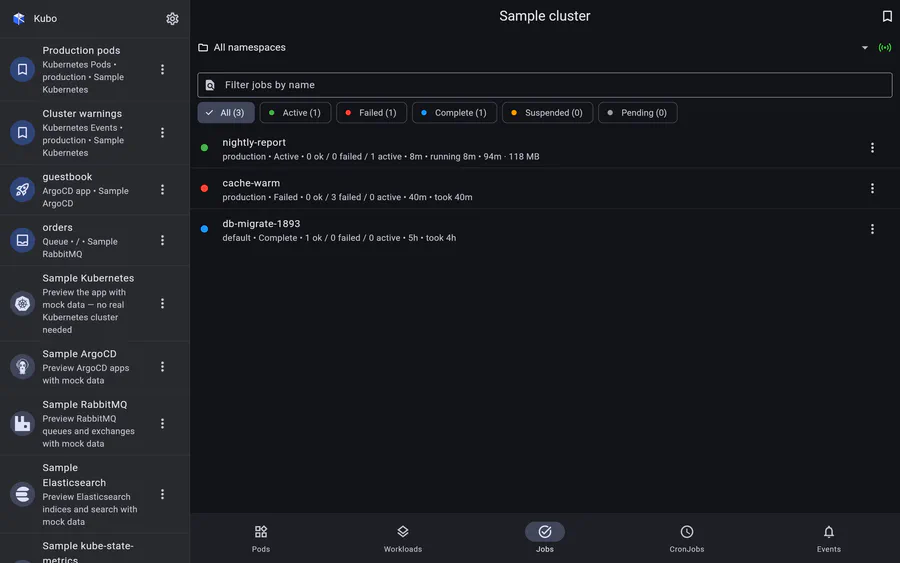
Jobs are listed newest first, which is the order you want when something just failed, and filtered by a status facet with counts: Active, Failed, Complete, Suspended, Pending. Each row shows both age and run duration — how long the job has been going, or how long it took.
Actions: suspend (stop) and resume, delete with a Background cascade so the pods go with it, and merged logs across every pod the job created.
The facet is screen state rather than part of a saved view — a bookmark stores the tab and its scope, not a transient filter chip.
CronJobs
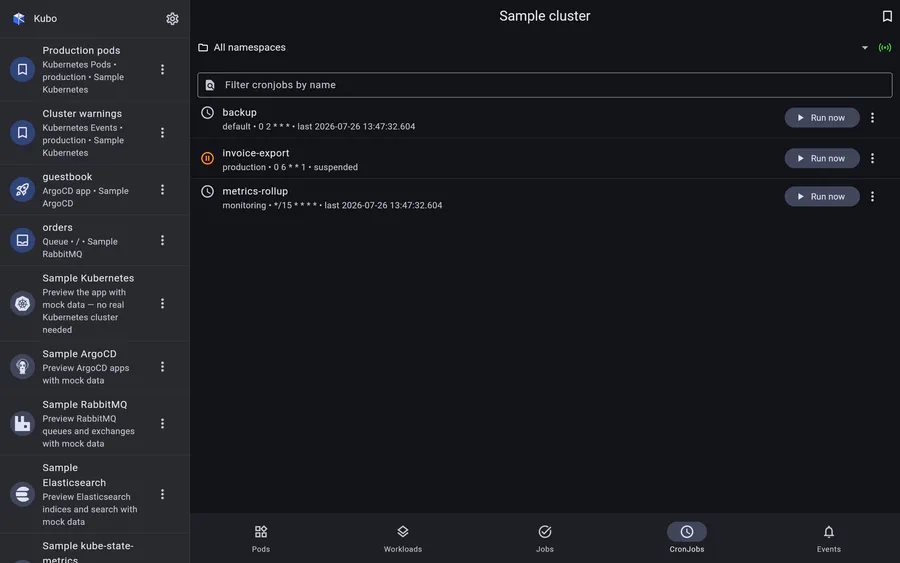
For a CronJob you can trigger a manual run, built from its own jobTemplate (the same
thing kubectl create job --from=cronjob/... does), and suspend or resume the
schedule — the two operations that matter when a nightly job is misbehaving and you are
not at a desk.
Merged logs across every pod
“View logs (all pods)” resolves the workload’s pods through its label selector
(spec.selector.matchLabels, or job-name=<name> for a Job), opens one log stream per
pod × container, and merges them — each line tagged [pod], or [pod/container] where a
pod runs more than one container.
Because the page re-resolves the pod set when it opens, this survives pod churn by construction. Bookmark it and the bookmark stores the workload and its selector, not today’s pod names, so it still works after a rollout replaces every pod.
Read-only YAML
Every workload type has a View YAML action — the kubectl get -o yaml view in a
syntax-aware reader. Deliberately read-only: editing a manifest on a phone keyboard is how
outages happen. If a change needs making, it should go through whatever pipeline normally
makes it — which, if that is ArgoCD, is one connection away.
Screens
Back to Kubernetes.