
S3 & object storage
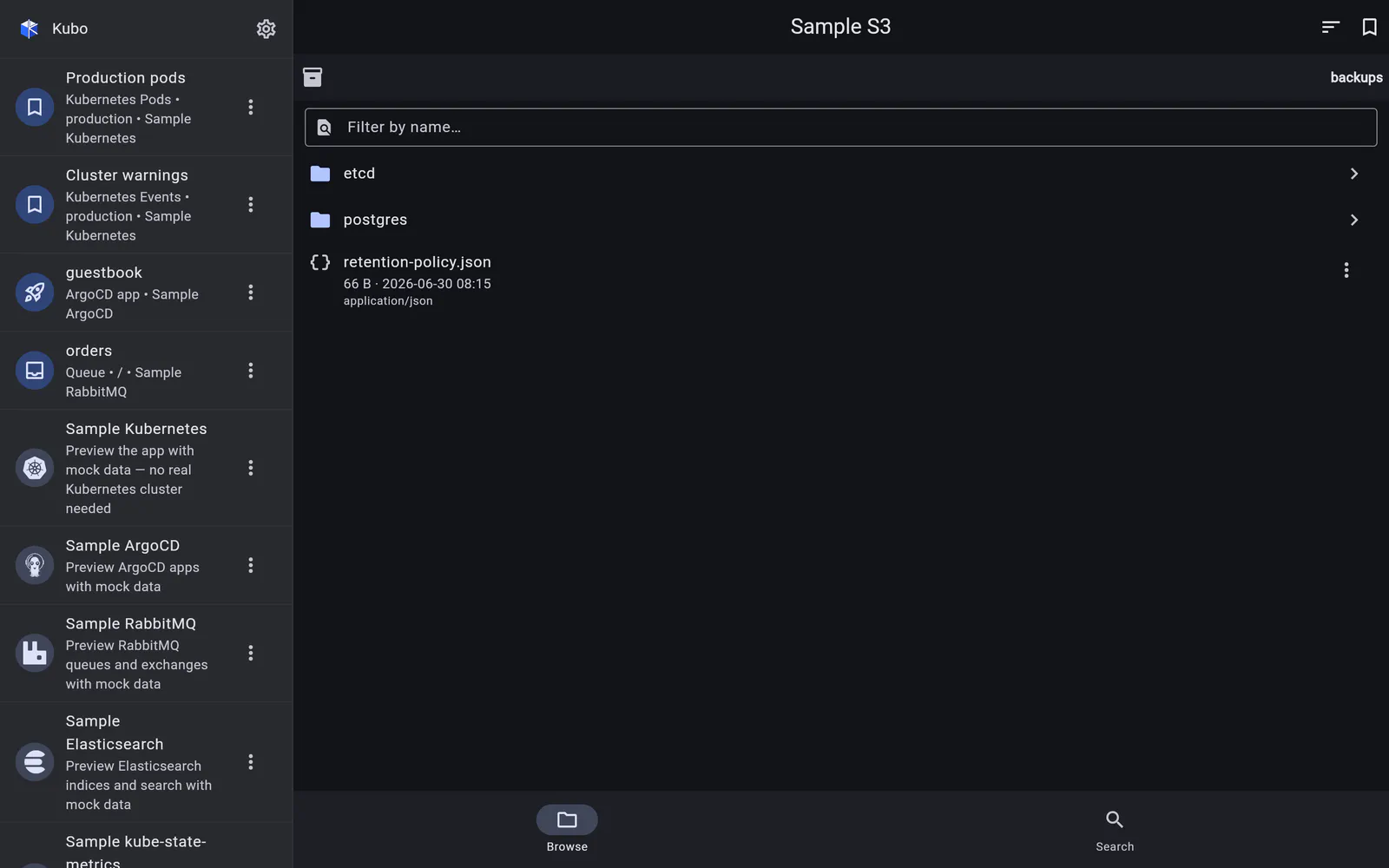
A read-only file browser for AWS S3 and any S3-compatible store: folders, previews, recursive search, downloads and presigned share links.
One endpoint serves many buckets, so an S3 connection is top-level: endpoint URL, region, access key and secret (plus an optional STS session token), an optional pinned default bucket, a path-style toggle and the usual CA options. Leave the keys empty for anonymous access to a public bucket.
It works against AWS S3 and any S3-compatible store — MinIO, Cloudflare R2, Ceph and friends. Virtual-host versus path-style addressing is per-connection, and is forced automatically for dotted bucket names, where virtual-host addressing cannot produce a valid certificate.
Self-contained on purpose
The module carries its own SigV4 signer — unit-tested against the AWS documentation’s
published signature vectors — and its own parser for S3’s XML wire format, including the
<Error> envelope, whose code and message become the same typed errors the rest of the app
shows. (S3’s canonicalisation differs from the STS signing used for EKS, so the two signers
stay separate rather than being cleverly shared.)
It is read-only: browse, preview, download, share. There is no upload and no delete,
which is a deliberate line — the phone in your pocket is not where you want a fat-fingered
rm to be possible.
In detail
Browsing buckets
Folders via common prefixes, a breadcrumb bar that goes up a level, sort and filter, and an image grid where a folder has pictures.
Read →Objects: preview, download, share
Metadata from a HEAD, inline previews for images, JSON and text, a real download, and presigned links with an expiry you choose.
Read →Searching keys
A recursive scan under the bucket or the open folder — capped, and honest when the cap is what stopped it.
Read →