
Jump hosts, tunnels & files
Connect through a bastion, forward ports in every direction, move files in and out — and route other connections through a host.
Jump hosts
A host can connect through another saved host — ssh -J — and that one through
another. Every hop’s host key is checked and every hop signs in with its own credential,
exactly like the target. When a hop refuses to forward, the error names the hop and the
setting to look at (AllowTcpForwarding, PermitOpen).
Tunnels
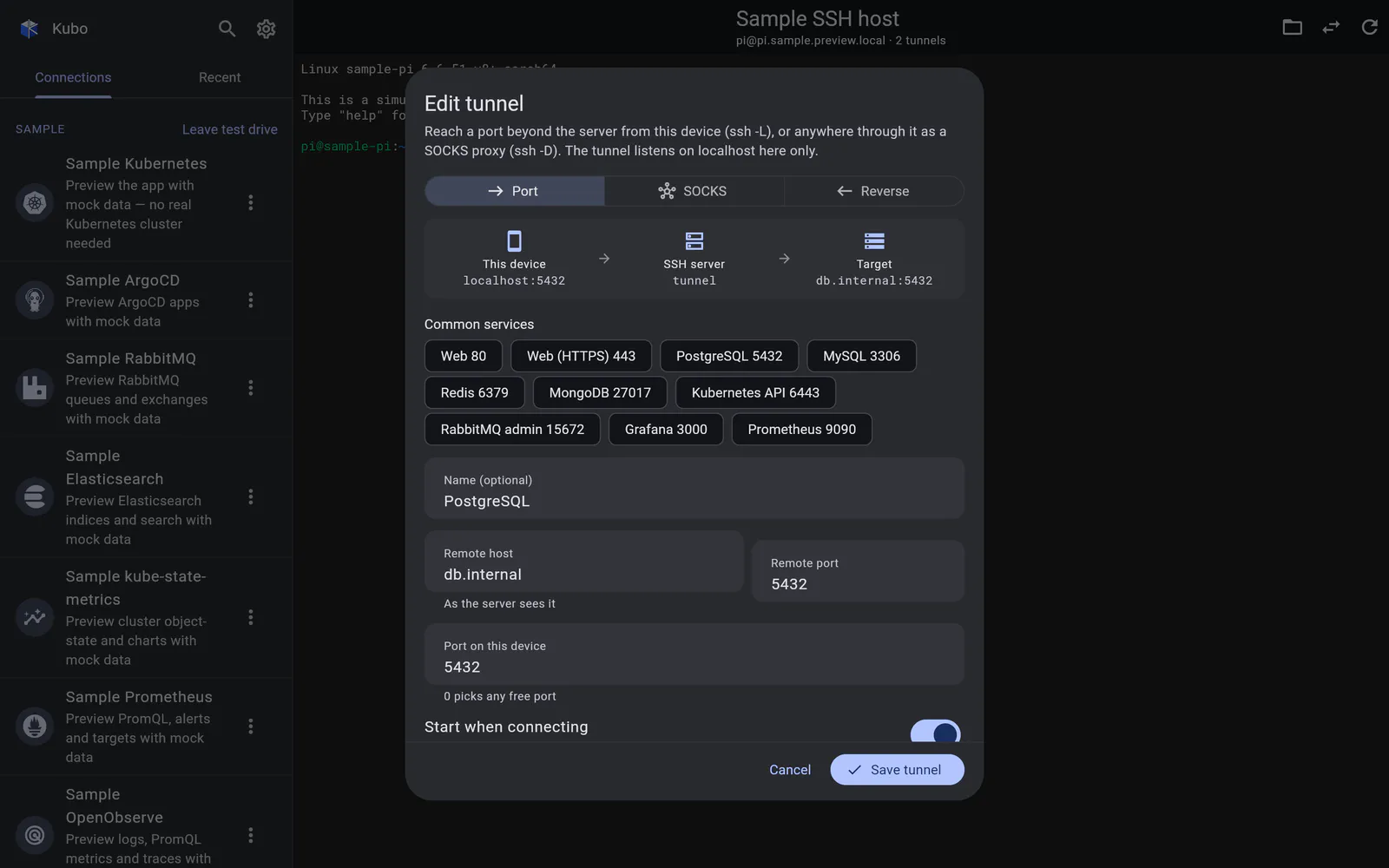
A host carries a list of port forwards, each started with the connection or by hand:
- Local (
ssh -L) — a port on this device that reaches a host and port as the server sees it: the database on a private network, onlocalhost:5432on your phone or laptop; - SOCKS (
ssh -D) — a proxy on this device that reaches anywhere the server can; - Reverse (
ssh -R) — a port on the server that reaches back to this device.
Presets cover the usual suspects — web, PostgreSQL, MySQL, Redis, MongoDB, the Kubernetes API, RabbitMQ’s admin port, Grafana, Prometheus. A tunnel listens on loopback only, shows its open connections and bytes each way, and copies its address or URL in a tap. A failure stays on that tunnel — a port already in use, nothing listening on the far side, forwarding disabled on the server — with what to do about it, and never takes the others down.
A host can also be tunnel-only: no shell, just “give me the database on localhost”.
Tunnels run while the app is in front.
Files
The files button opens the directory your shell is in — found from the shell itself,
so it follows cd and nested shells — and lets you walk up and down, download a file, or
upload here. Uploads land under a temporary name and are renamed into place, so a
cancelled or failed upload never leaves half a file; a name clash asks whether to replace,
keep both or skip.
Reaching other connections through a host
A host can say “reach these through me”: host patterns (*.internal), addresses or
CIDR blocks (10.0.0.0/8). From then on, any cluster, dashboard or other SSH host whose
address matches is reached over one shared SSH connection to it — through its jump hosts if
it has any — without changing that connection’s settings. It is the same mechanism the
built-in Tailscale client uses.
Screens
Back to SSH.