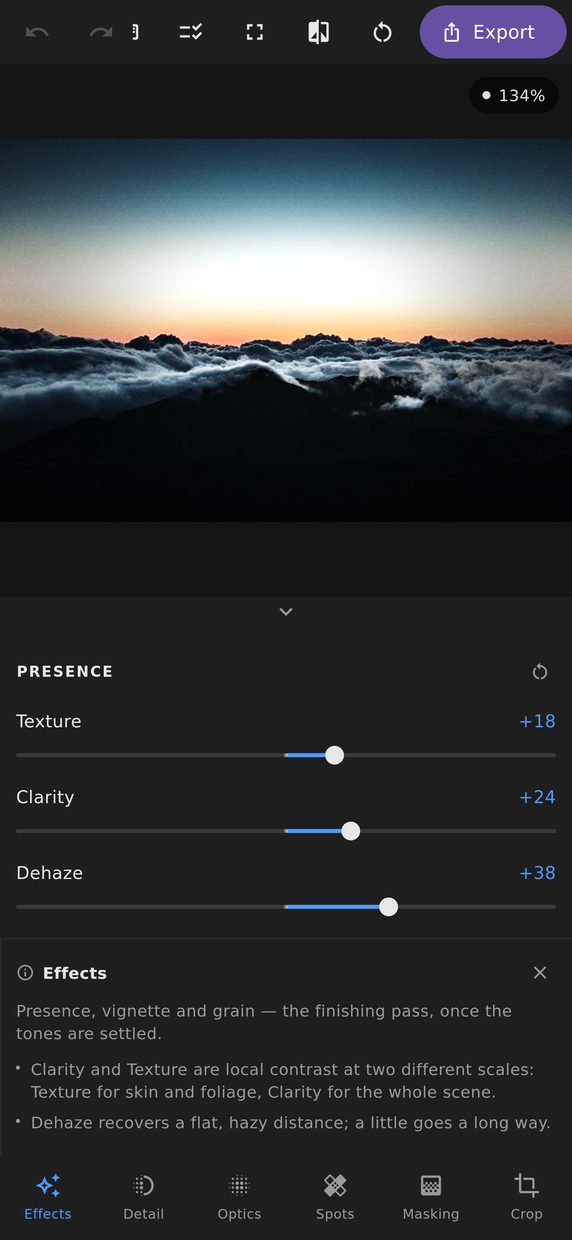
These are the controls that change how present a photograph feels, and all of them work by comparing a pixel to its neighbourhood rather than by mapping it on its own.
Texture, clarity and dehaze
Texture works at a fine scale. It brings up skin pores, fabric weave and bark without touching the larger shapes, and pulled negative it smooths those same things while leaving edges crisp — which is a far more convincing skin softener than a blur.
Clarity works at a middle scale. It is midtone local contrast: it makes a picture look punchy and three-dimensional. Pushed hard it produces the halo-round-the-mountains look that dates a photograph instantly, so the useful range is smaller than the slider suggests.
Dehaze is a different thing altogether. Atmospheric haze is airlight scattered into the path between camera and subject, so it thickens with distance. A contrast trick can raise local contrast through it, but only something that estimates the transmission — how much of each pixel actually made it to the lens — can clear the distance without flattening the foreground too.
So dehaze estimates how much of each pixel actually reached the lens, and clears the distance by that much — leaving the foreground, which was never hazy, alone. On a photograph with real depth to it the effect is nothing like adding contrast: the far hills come back without the near ones going hard.
Vignette
Post-crop, so it follows the frame you actually chose rather than the one the camera made. Amount, midpoint, roundness and feather. Negative darkens the corners and pulls the eye inward; positive brightens them.
Grain
Amount, size and roughness. Grain does two things: it puts a film texture over a digital image, and — more usefully — it hides banding in smooth gradients by adding noise the gradient’s steps can hide inside.
Grain is sized against the frame rather than against the screen, so the texture you approve in the preview is the texture that comes out of the export. Grain that is judged on screen and then turns out four times finer in the file is worse than no grain at all — you cannot tell whether you have any until it is too late to change it.
Why they stay fast
Texture, clarity, dehaze and defringing all have to look at the area surrounding every pixel, which is normally what makes an editor stutter when you touch them. Here that work is prepared once and kept, so exposure, contrast, curves, colour mix and grading can all keep moving without it being redone.
It is only redone when the crop changes, or when you change how wide these adjustments reach. The practical result is that dragging clarity on a photograph that already carries a full edit feels the same as dragging it on an untouched one.