Because your edit is a recipe rather than a rendering, it is a thing you can keep, name, reuse and give away. If an edit were pixels there would be nothing to save.
Thumbnails that are not lies
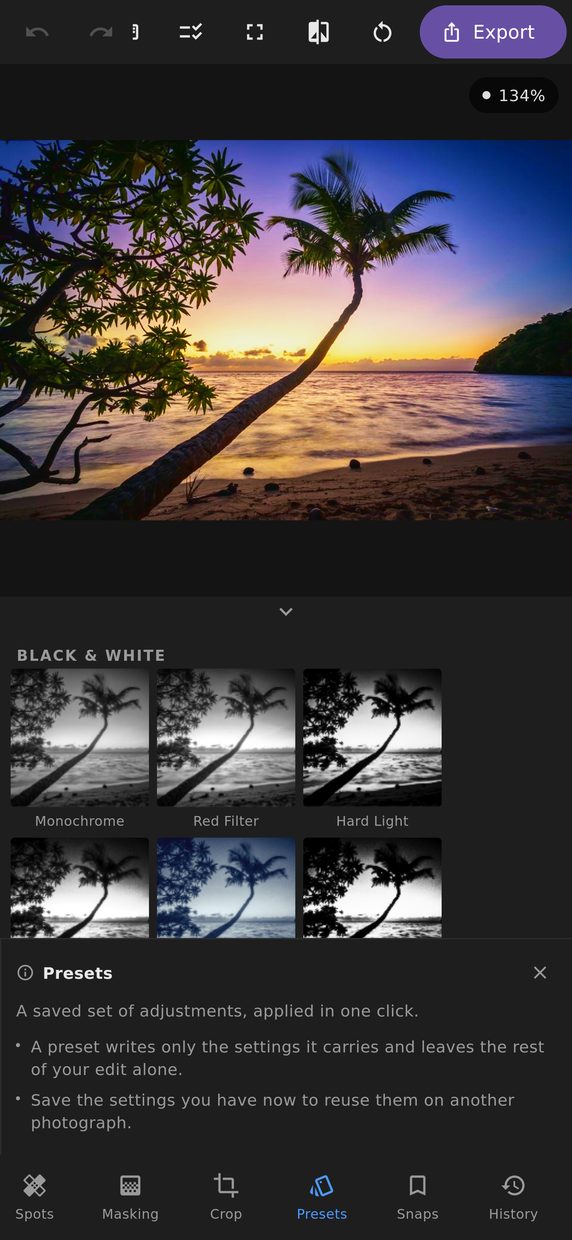
Every preset is previewed as your photograph rendered through it, not as a stock image someone chose to flatter the preset. The contact sheet is built by running the real pipeline over a proxy of what you have open.
It matters because a preset that looks wonderful on a desert landscape can be terrible on an indoor portrait, and a stock thumbnail will never tell you that.
Twenty-nine looks to start from
The built-in catalogue comes in four groups:
- Film — Fifties, Faded Print, Slide Film, Matte Fade, Teal & Gold, Drugstore 400, Cool Negative, Cross Process, Expired Roll and Lomo.
- Mood — Sunset, Punk Rock, Cold Open, Soft Portrait, Desert and Overcast.
- Creative — Cosmo, Ollie, Bubblegum, HDR and RGB Split.
- Black & White — Monochrome, Red Filter, Hard Light, Infrared, Blueprint, Push Process, Platinum and Duotone.
Several of them reach past tone and colour for something no slider arrangement can imitate: Lomo bulges the frame the way a cheap lens does, RGB Split drives the chromatic-aberration correction backwards to push the channels apart, and HDR is led by local contrast rather than colour. None of them is anybody else’s filter wearing a borrowed name — where a look is named after something, it is a process with a published description, like cross processing or platinum printing.
Applying a preset writes only the settings it carries and leaves the rest of your edit alone, so a look applied after a crop and a mask keeps the crop and the mask.
Saving and applying
Save the current edit as a preset and name it. Apply it to any other photograph and every value lands in the panels where you can see and adjust it — a preset is a starting point, not a lock. Nothing about an applied preset is hidden or unavailable afterwards.
Copy and paste settings
Copy the settings from one photograph and paste them onto another, which is the same idea without the ceremony of naming a preset. This is how a shoot gets made consistent: develop one frame properly, then paste it across the rest and adjust each for its own exposure.
The paste is partial by choice. You can take the colour and leave the crop, or take the tone and leave the masks — because the crop that suited one frame rarely suits the next.
Some things cannot travel, and the copy dialog says which and why rather than letting you find out. A mask grown with the wand and a retouching spot are both aimed at this photograph’s pixels, so on a paste those groups are disabled with the reason written underneath them — instead of pasting a sky-shaped selection, or a set of heal circles, onto a picture where they mean nothing.
Sharing
A preset is a small file. Export it, send it to someone, and they import it at the other end. There is no account, no service and no sync involved — the whole edit is small enough to put in a message.
What a preset does not carry
Nothing that is about the tool rather than the photograph. Which panel was open, how far you were zoomed in, which mask was selected, how big the brush was — none of that describes the picture, so none of it travels with a preset. Applying somebody else’s preset changes how your photograph looks and nothing else about how you were working.