An HTTP client built for
the APIs you're building
ProgramInterface.com is a focused, Postman-lite desktop and mobile app. Configure your servers and their auth once, build a request, fire it — and every attempt is timed and saved to a replayable history grouped by API + path.
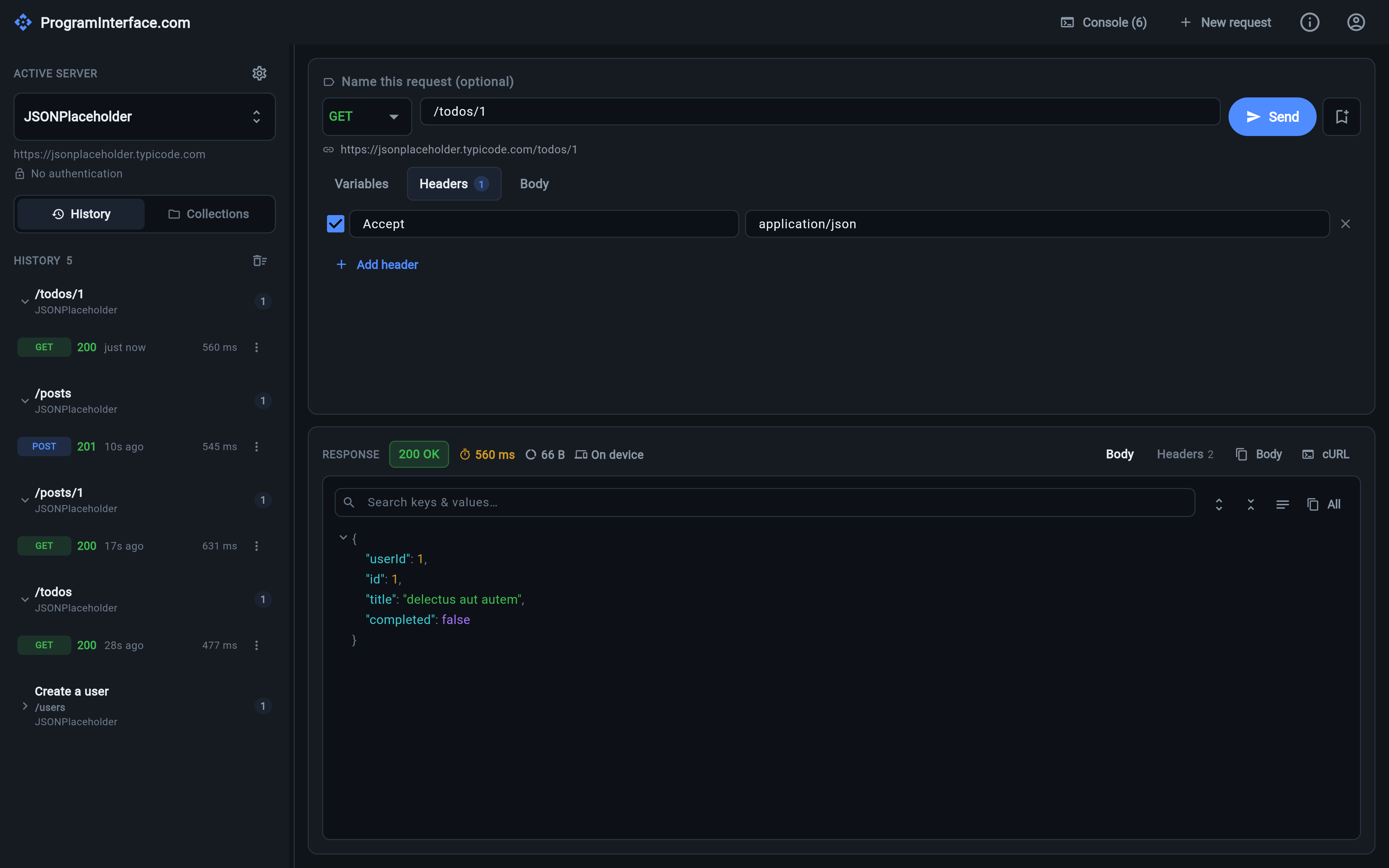
Everything you need to poke at your own API
No workspaces to set up, no account to create, no cloud you didn't ask for. Point it at a server, send a request, and get the timing back.
Servers & authentication
Keep every environment — local, staging, production — as a named server with its own base URL and auth provider, and switch with one dropdown. Learn more →
User login with PKCE
Log in as a real user through your identity provider — browser, loopback redirect, authorization code + PKCE — and the token is cached like any other. Learn more →
The request builder
Method, path with a live resolved-URL preview, per-row toggleable headers, and a body editor with JSON validation and one-click formatting. Learn more →
Variables & placeholders
Write {userId} in the path and {{userName}} in the body; they're auto-detected, listed in their own tab, and saved to history as a template. Learn more →
Timing & replayable history
Every attempt is timed end-to-end, colour-coded by latency, and kept in a history grouped by server and path — click any entry to load it back and re-send. Learn more →
Collections
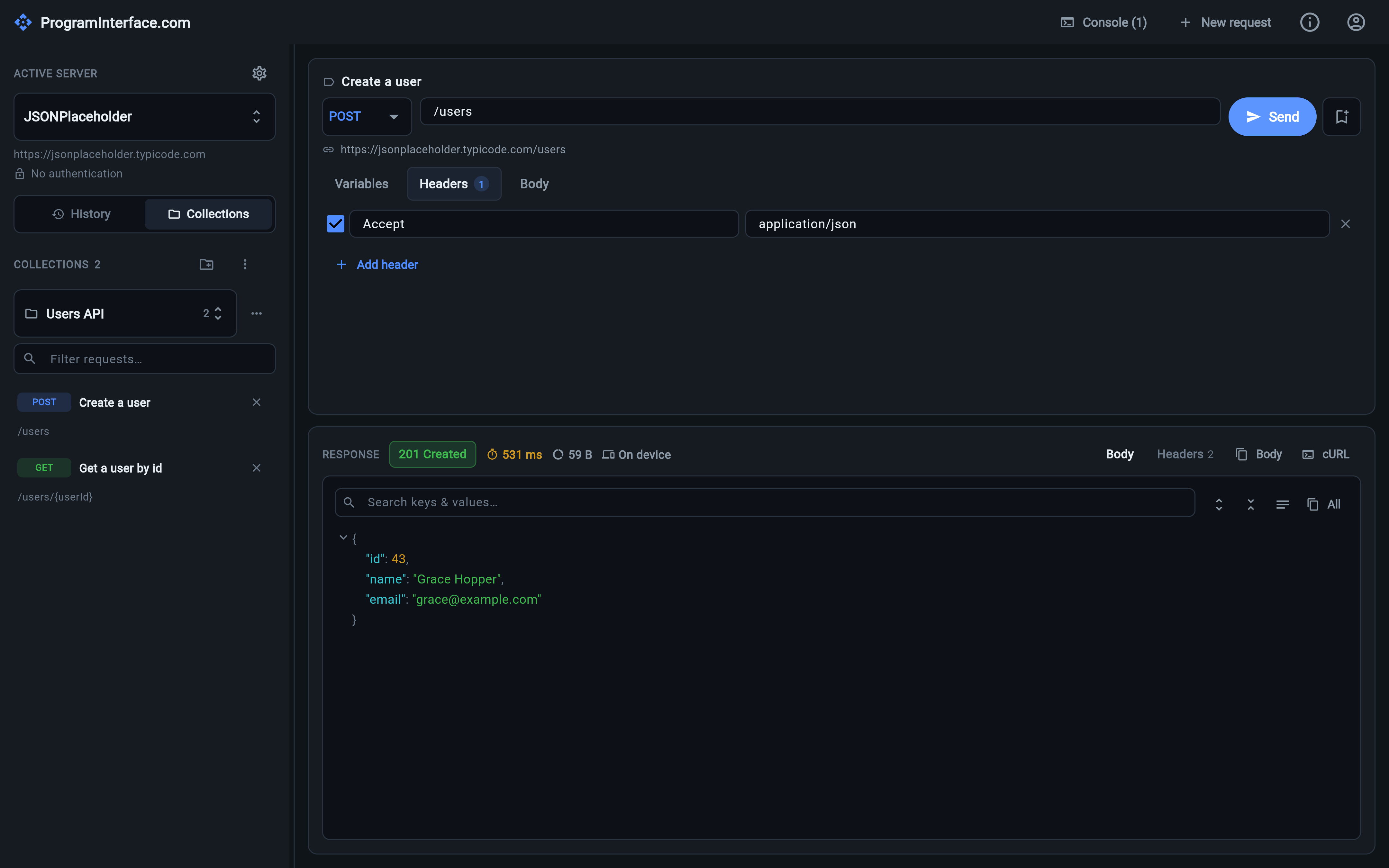
Bookmark a request into a named collection with a description. One collection is shown at a time, picked from a dropdown, with a filter that finds matches in the others. Learn more →
Import, backup & restore
Import an OpenAPI spec or a Postman collection, and back every collection up to a versioned JSON file you can merge or replace on restore. Learn more →
The session console
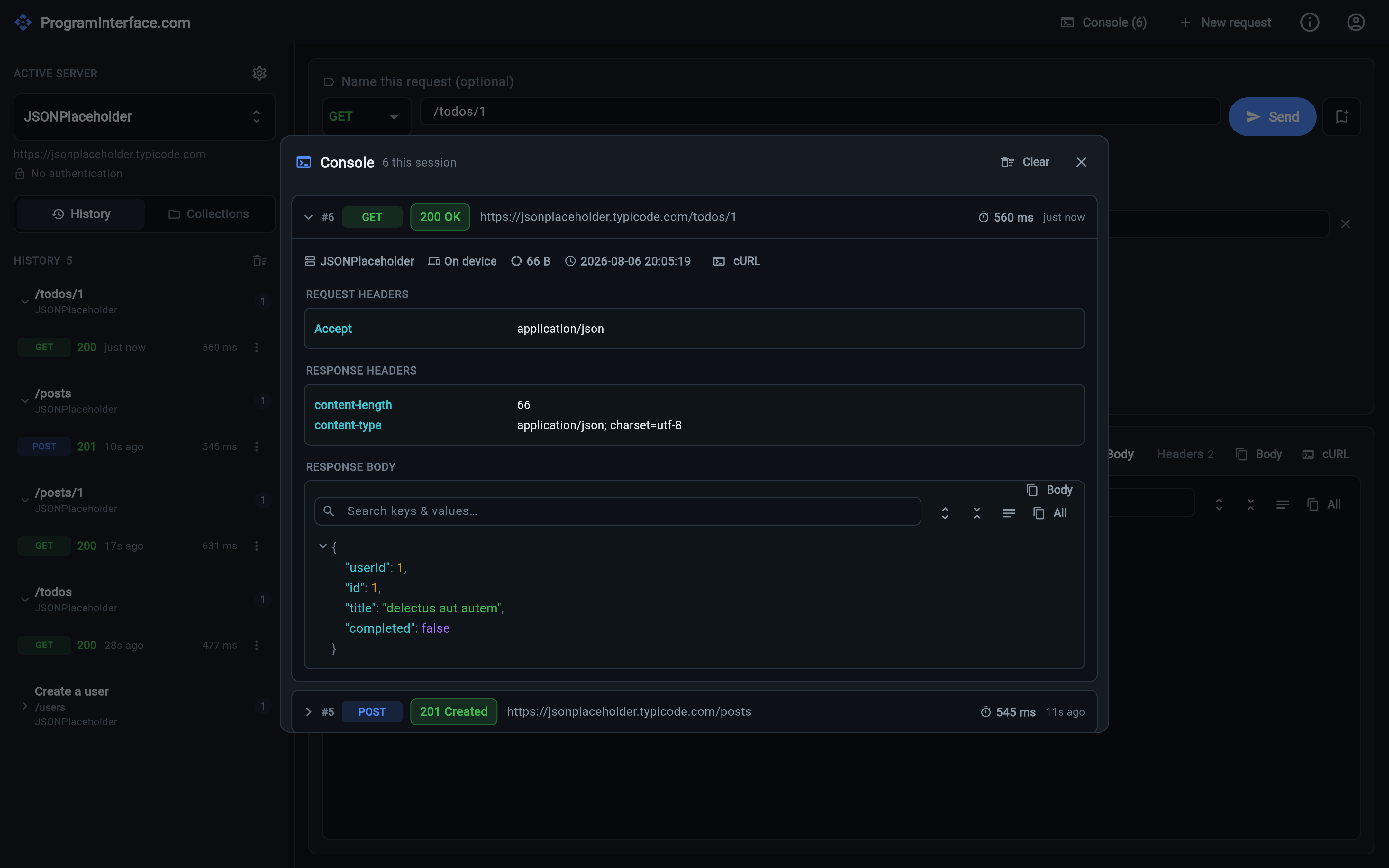
A live log of every request this session — expandable to full headers, bodies, timing and size — including the OIDC token grants, captured verbatim. Learn more →
Execution & sync
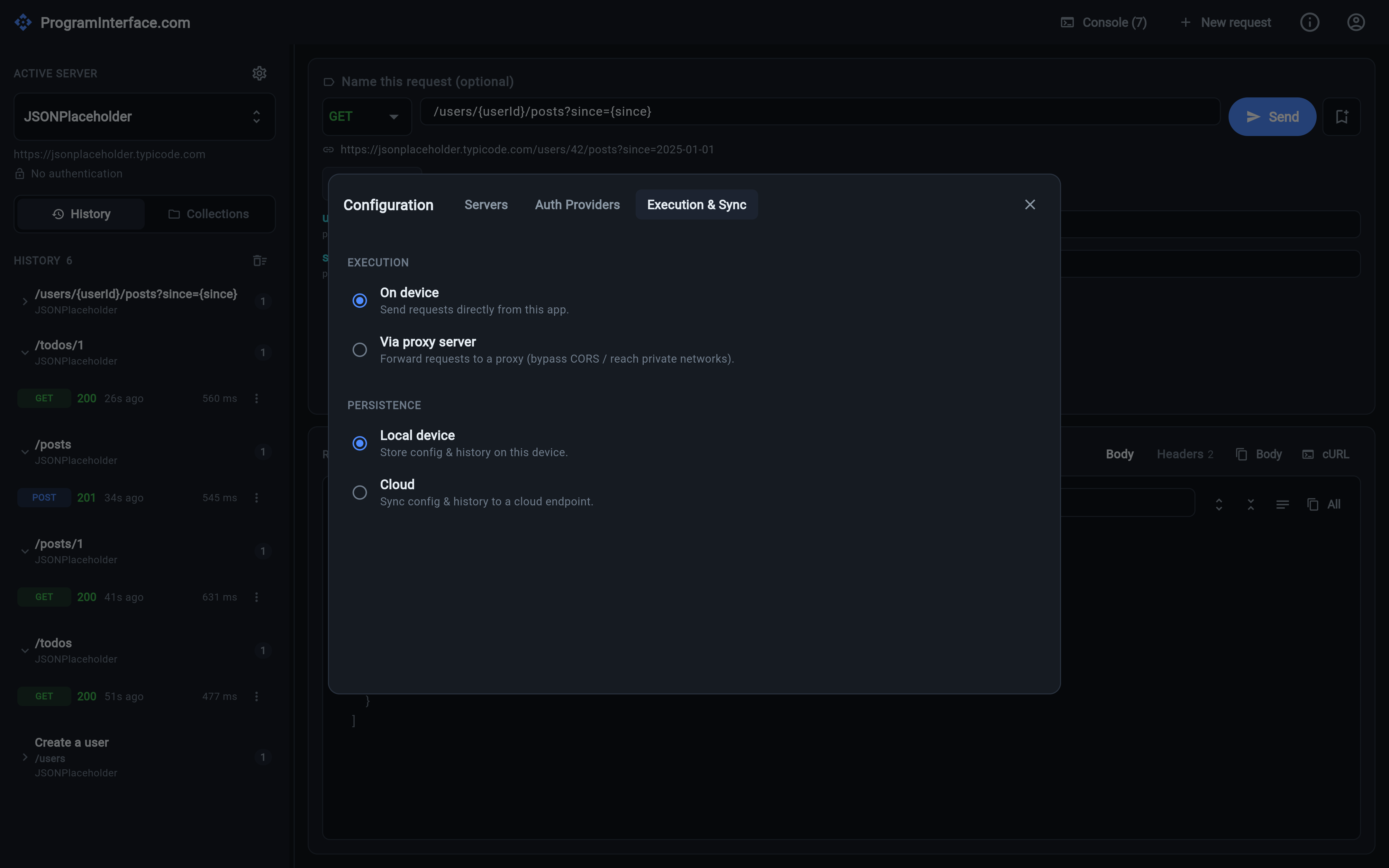
Send requests from the device or hand them to a proxy, and keep your data local or synced to a cloud endpoint — both switchable while the app is running. Learn more →
One app, every screen
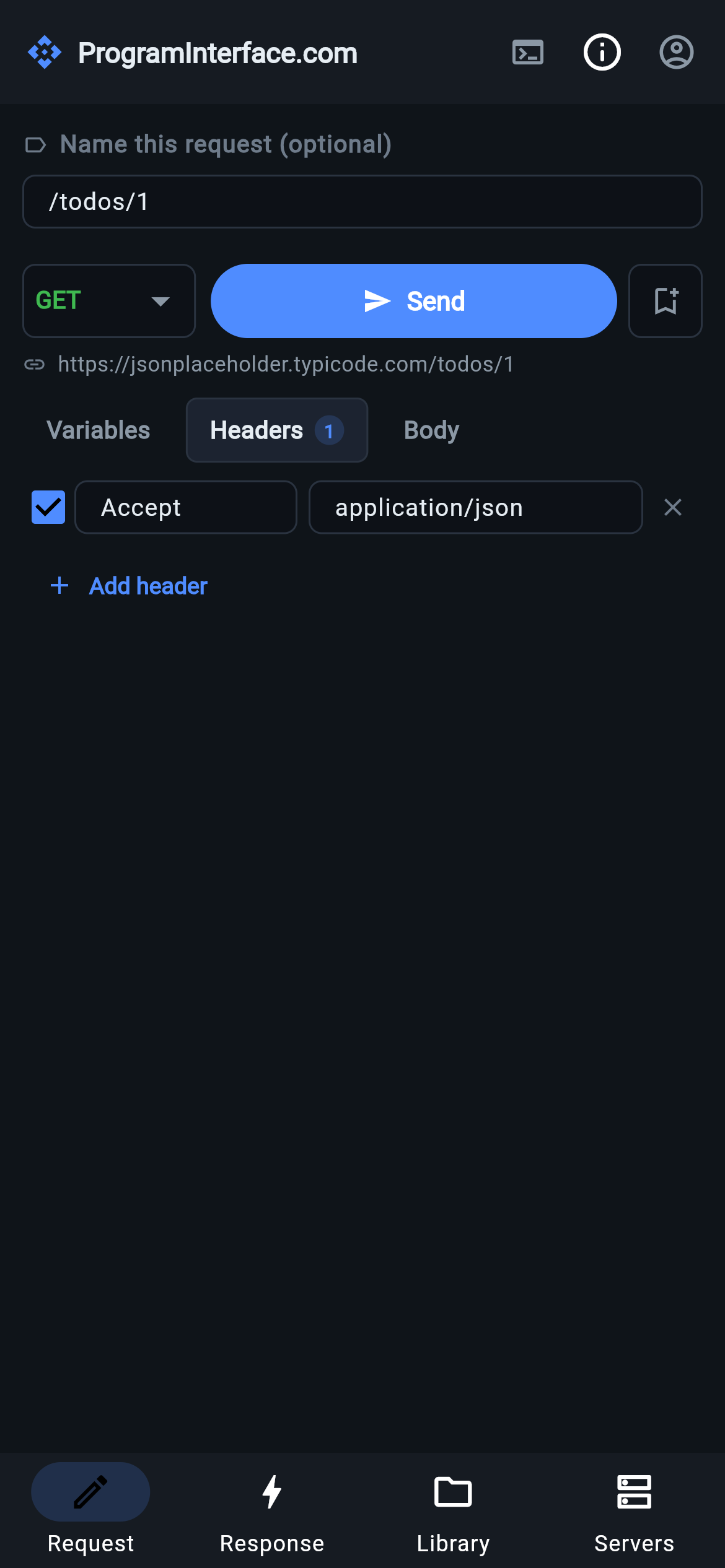
A multi-pane desktop and web layout, and a phone layout with bottom-tab navigation — the same app, rearranged to fit the screen. Learn more →
Configure the server once, not once per request
Each API server carries a name, a base URL and an auth provider, so switching from localhost to staging is a dropdown — not a find-and-replace across your requests. Auth providers cover no-auth, a static bearer token, and OIDC with .well-known autodiscovery. Learn more →
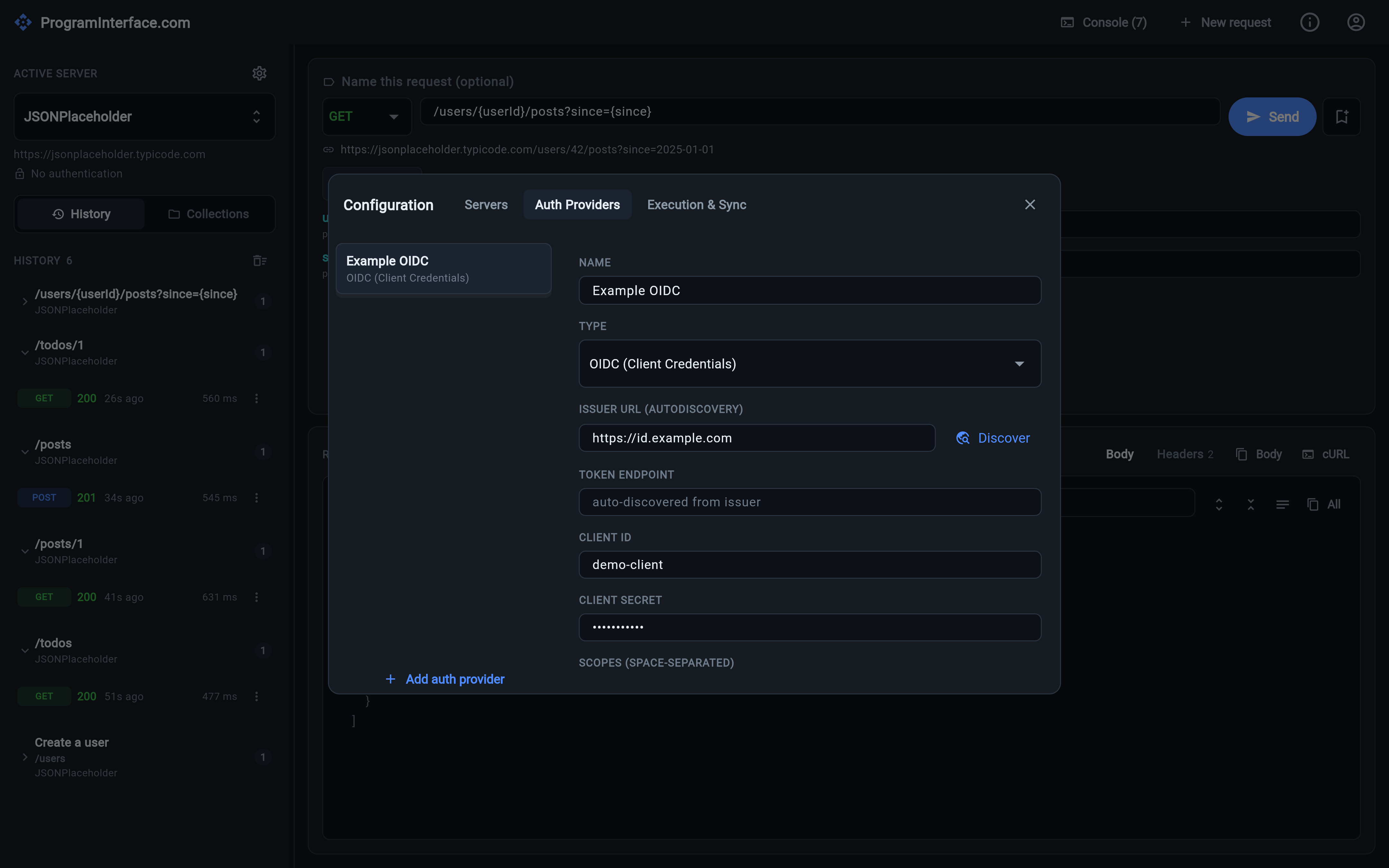
Templates, not twenty near-identical requests
Write {userId} in the path or query and {{userName}} in the body. Placeholders are detected automatically, collected into a Variables tab, URL-encoded where they belong, and stored in history as a template — so replaying only needs new values. Learn more →
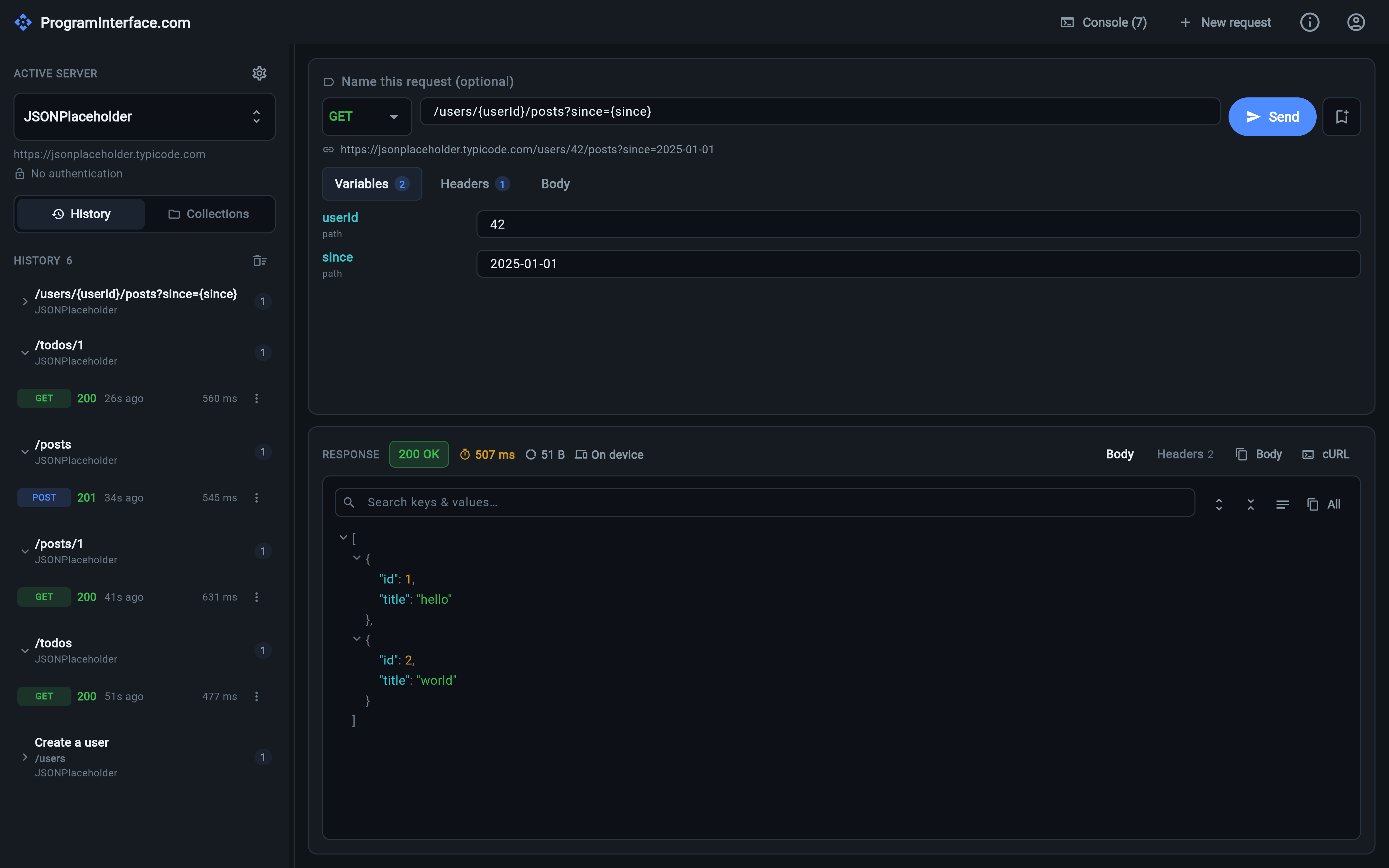
Keep the requests worth keeping
Bookmark the current request into a named collection, with an optional description. A sidebar toggle flips between History and Collections; one collection is shown at a time, and the filter box tells you when a match lives in another one. Learn more →
See exactly what went over the wire
A session-only log of everything that went over the wire, each row expandable to the full detail — and that includes the OIDC token grant and discovery calls, recorded exactly as sent. Learn more →
Choose where requests run and where data lives
Run requests on device or delegate them to a proxy server to get past CORS and into private networks. Store config and history locally or sync them to a cloud endpoint. Both are switchable at runtime. Learn more →
The same app on the desktop and in your pocket
A multi-pane layout on desktop and web, and a bottom-tab layout on phones — Request · Response · Library · Servers. The same app in both; only the arrangement changes. Learn more →
Get it on your platform
Desktop, phone, tablet or browser — the same app, with your servers and collections wherever you are.
macOS
Universal — Apple silicon and Intel
Mac App Store · Coming soonWindows
Windows 10 and 11, 64-bit
Microsoft Store · Coming soonLinux
Flatpak, for any modern distribution
Flathub · Coming sooniOS & iPadOS
iPhone and iPad
App Store · Coming soonAndroid
Phones and tablets
Google Play · Coming soonWeb
Nothing to install — any modern browser
Open in browser · Coming soonPer-platform notes and what's in each build: Download →