Collections
Bookmark the current request into a named collection, with an optional description. A sidebar toggle flips between History and Collections; one collection is shown at a time, and the filter box tells you when a match lives in another one.
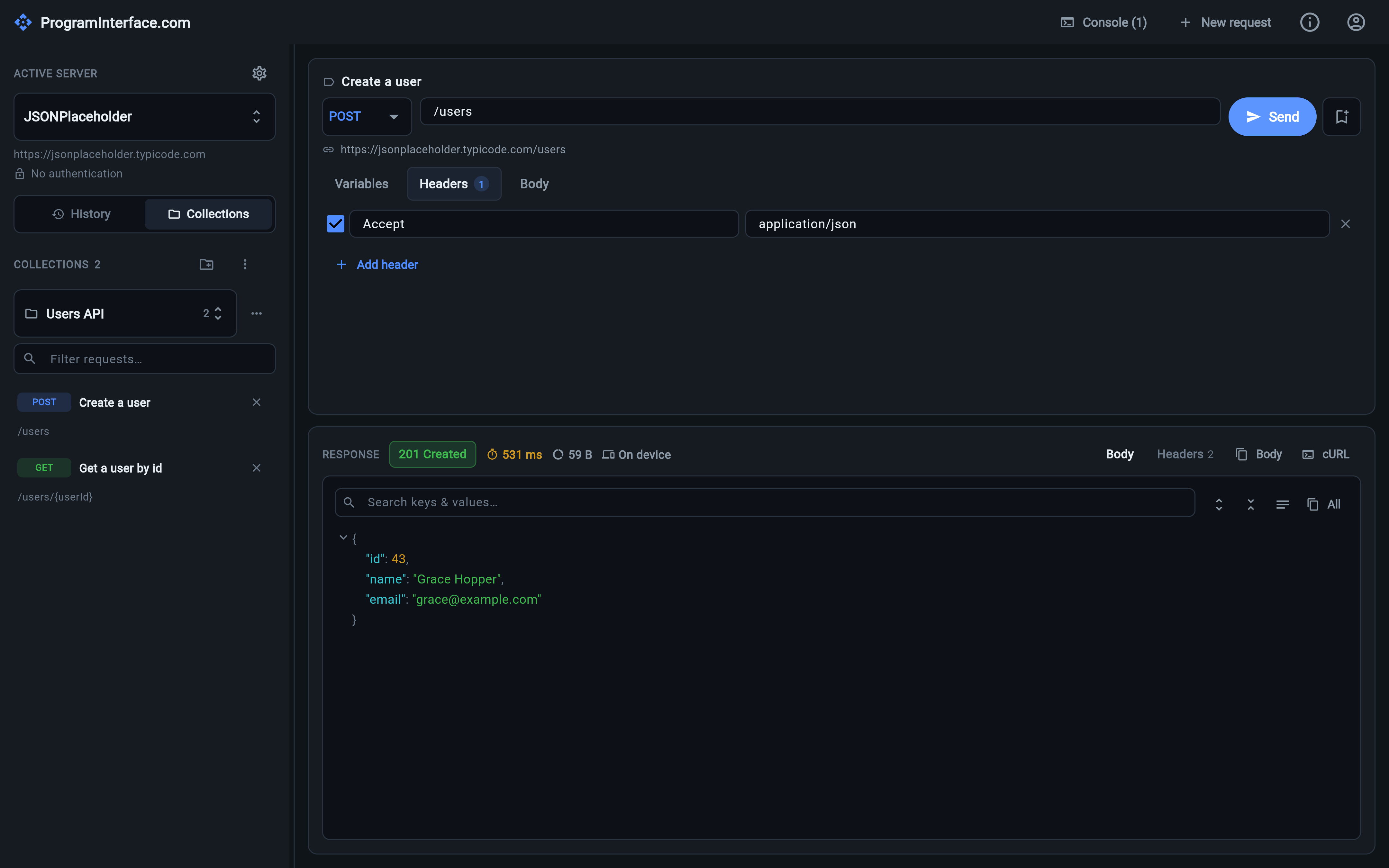
Saved requests keep their name, description and placeholders — tap one to load it into the editor.
History is a record of what you did. A collection is a decision that a request is worth keeping.
Saving
The bookmark icon next to Send saves the current request — method, path,
headers, body and its placeholders — into a collection, under a
name you give it, with an optional description. The description is the part
worth using: GET /users/{userId} tells you nothing in six weeks, “the
endpoint that 404s for soft-deleted users” tells you everything.
The sidebar has a History / Collections toggle. Under Collections, saved requests are listed with their method chip, name and path; tapping one loads it into the editor, ready to fill in and send.
Collections can be created, renamed and deleted, and are persisted like the rest of your data — locally or in the cloud.
One collection at a time
The sidebar shows one collection at a time, chosen from a dropdown that lists every collection with its request count. A library of a few hundred requests stays navigable, because you’re never scrolling past the ones you aren’t working on.
The choice is sticky: it’s remembered across restarts, and saving or importing a request switches the view to whichever collection it landed in — so a new arrival is never invisible.
Filtering across collections
Filtering searches the collection currently on screen. The interesting case is when it finds nothing there: rather than showing you an empty list, the filter box lists the other collections that do hold matches, with one tap to jump to them.
That’s the difference between “no results” and “not here — but three of them are over there”, which is almost always what you needed to know.