The session console
A session-only log of everything that went over the wire, each row expandable to the full detail — and that includes the OIDC token grant and discovery calls, recorded exactly as sent.
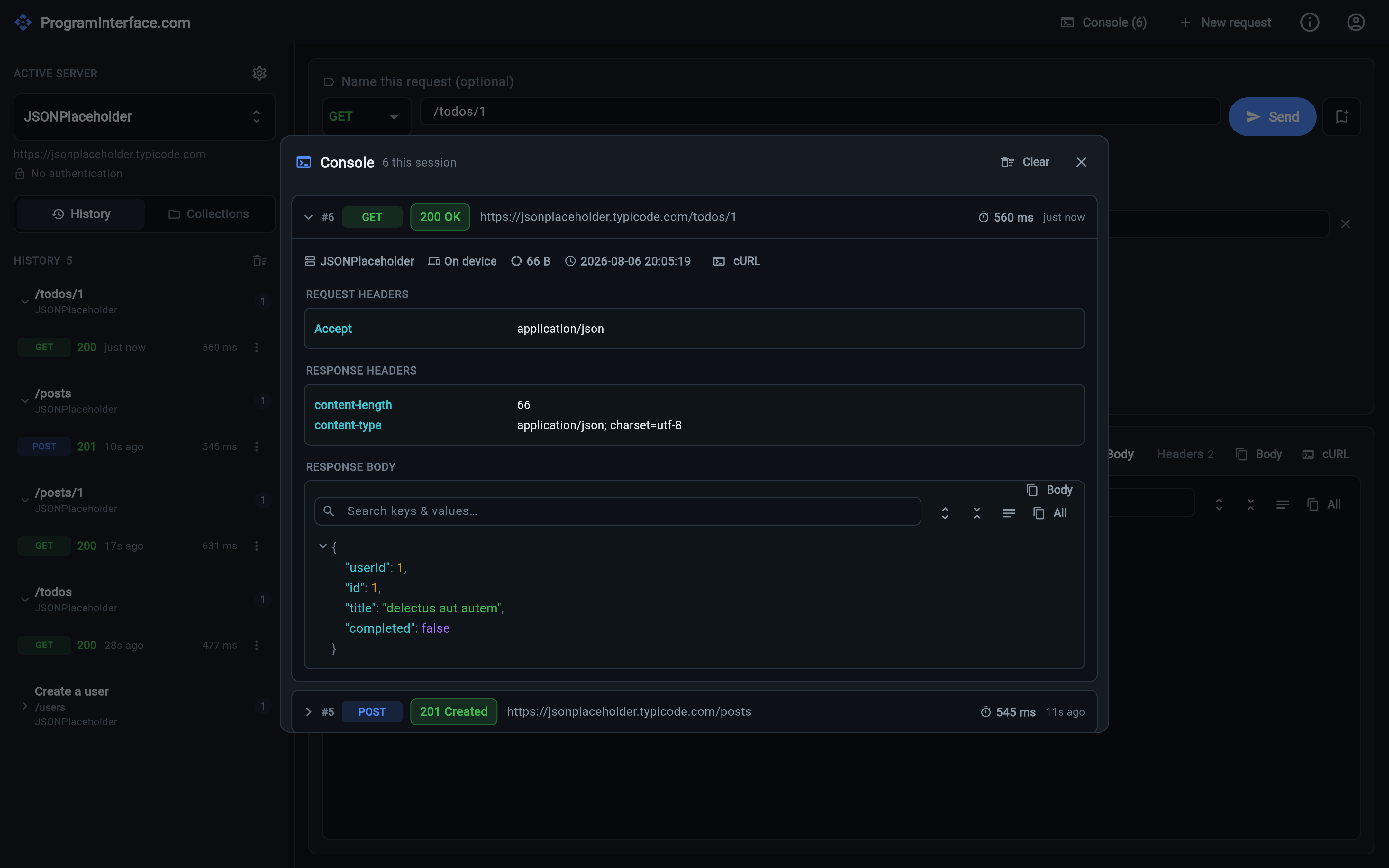
One entry expanded: the request as sent, the response headers, and the body — with copy-as-cURL alongside.
The response panel answers “what did the server say?”. The Console answers the harder question: “what did we actually send?”
Open it from the top bar — the button carries a live count of entries this session.
What a row holds
Every request/response executed this run is logged, newest first, collapsed to a single scannable line. Expand one and you get the whole exchange:
- the request as sent — final URL, method, every header (including the ones the app added for you) and the body,
- the response — status, headers, and body, pretty-printed if it’s JSON,
- the timing and size,
- which executor ran it — on device or via the proxy,
- copy-as-cURL and copy-body buttons.
That header list is the point. Authorization and Content-Type are attached
automatically at send time, and the console is where you confirm what was
attached rather than what you assumed would be.
Auth calls are logged too
The calls the app makes on your behalf are logged as well, as AUTH entries:
the OIDC token grant and the .well-known discovery request.
They are captured verbatim and un-redacted — the token-grant body includes
the client_secret exactly as sent. That’s a deliberate debugging trade-off: if
your identity provider is returning invalid_client, the only thing that
settles it is seeing the actual form body that went out. The console is
in-memory and session-only, so nothing here is written to disk.
Session-only, on purpose
The console is not persisted and does not survive a restart — it’s a debugging surface for the run you’re in the middle of, not an audit trail. The durable record of what you sent is history, which stores the request but not the resolved secrets.