Execution & sync
Run requests on device or delegate them to a proxy server to get past CORS and into private networks. Store config and history locally or sync them to a cloud endpoint. Both are switchable at runtime.
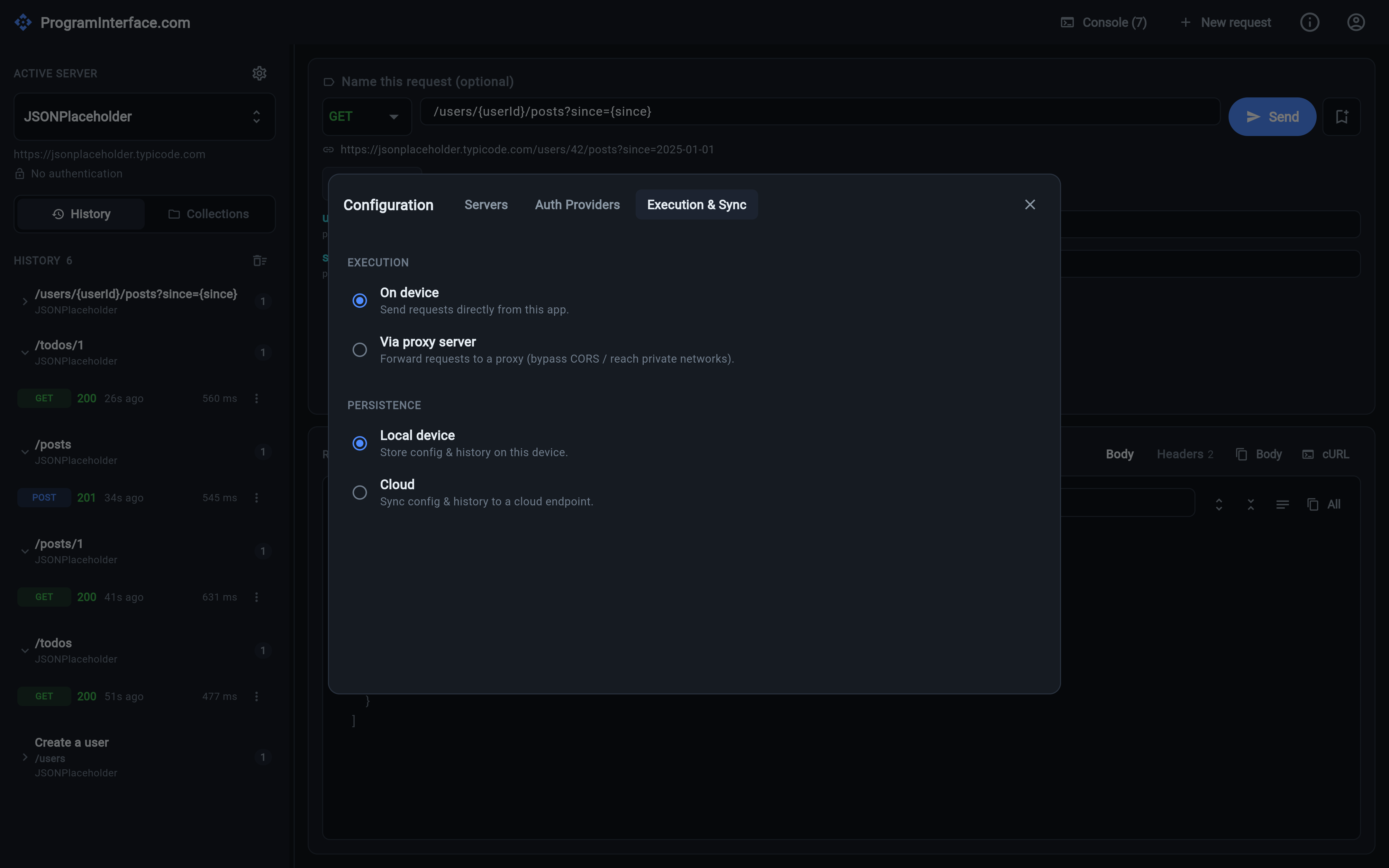
Configuration → Execution & Sync. Both choices take effect immediately — no restart.
Two questions every HTTP client answers for you, silently. ProgramInterface.com makes them settings, in Configuration → Execution & Sync.
Where the request runs
On device sends the request directly from the app. It’s the default and it’s what you want almost always: nothing in the middle, timings that reflect your actual network path.
Via proxy server posts a {method, url, headers, body} envelope to a proxy
you nominate, which performs the request and returns
{status, statusText, headers, body}. Two situations make that the better
option:
- CORS. In the browser build, a cross-origin request to an API that doesn’t publish permissive CORS headers is blocked before it leaves the page. A proxy isn’t a browser and isn’t subject to that.
- Private networks. If the API lives somewhere your device can’t reach but a host you control can — a VPC, a lab network, behind a bastion — the proxy runs there and you drive it from here.
Timing still works: the elapsed time measured is the full round trip, and the response panel and console both tell you which executor ran a given request, so a proxied timing is never mistaken for a direct one.
Where the data lives
Local device keeps configuration, history and collections on the machine. Secrets — client secrets and static bearer tokens — are held separately in the OS keychain/keystore rather than in the config blob.
Cloud syncs each collection of data to a REST endpoint you provide, with a
plain GET/PUT {baseUrl}/{collection} contract — no vendor, no proprietary
format, just a URL that speaks JSON. The implementation is tolerant of an
unreachable backend: if the endpoint is down, the app keeps working rather than
refusing to start.
Switchable at runtime
Both choices take effect immediately — no restart, no reinstall, no separate build. Switching where requests run changes the next Send. Switching where data lives reloads your servers, history and collections from the new backend in place, underneath the running app.
Your execution and storage preferences are themselves stored locally, independently of the swappable backend — so they survive a switch, including a switch to a cloud backend that then turns out to be unreachable.