Servers & authentication
Each API server carries a name, a base URL and an auth provider, so switching from localhost to staging is a dropdown — not a find-and-replace across your requests. Auth providers cover no-auth, a static bearer token, and OIDC with .well-known autodiscovery.
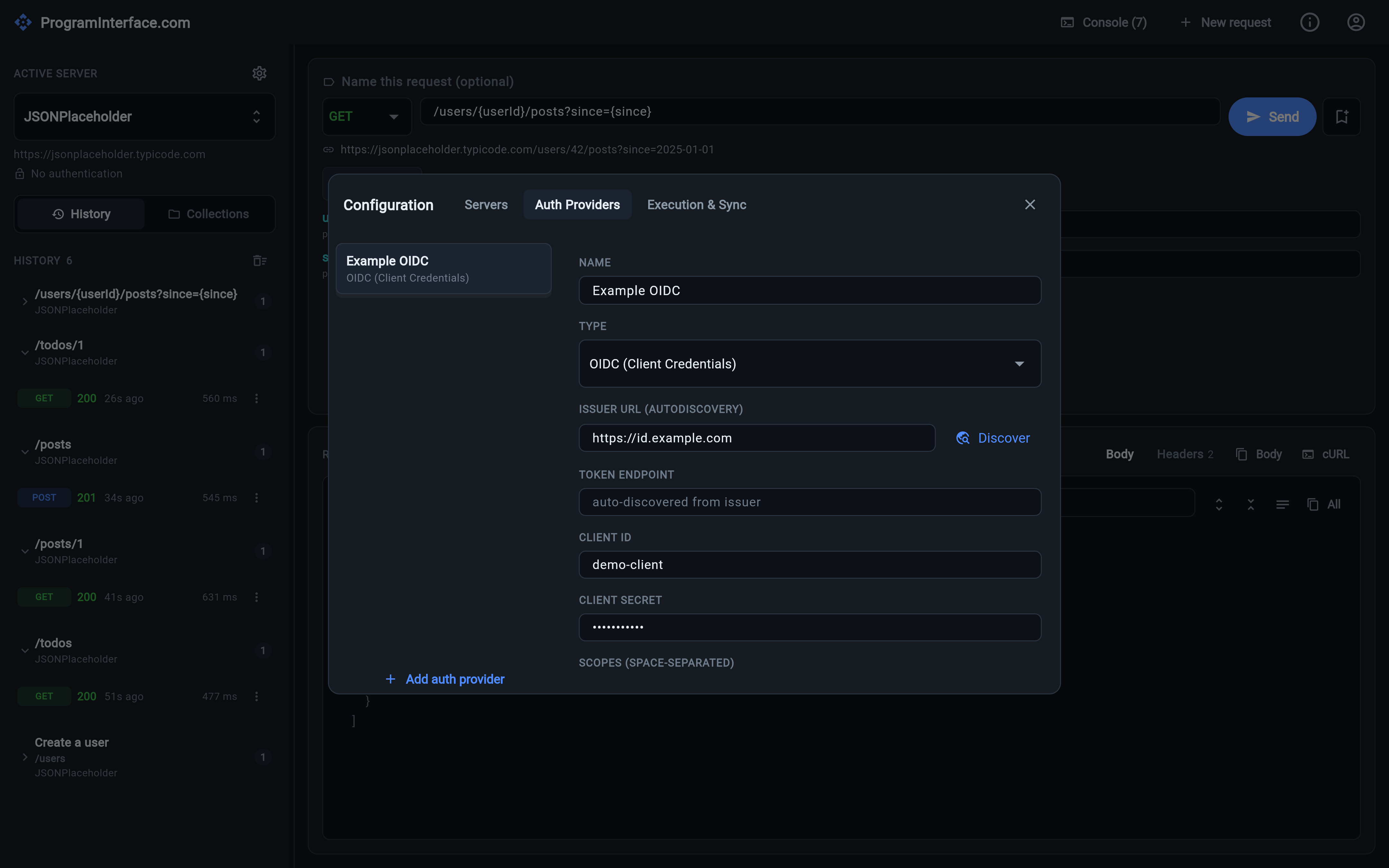
Configuration → Auth Providers: an OIDC client-credentials provider, with the issuer URL and its Discover button filling in the endpoints. Servers live on the neighbouring tab, and each one points at a provider.
Most HTTP clients treat a request as self-contained: the full URL and the
Authorization header both live on the request. That falls apart the moment
you have the same twenty requests against local, staging and production.
ProgramInterface.com splits it in two. A server owns the environment — a display name, a base URL, and the auth provider to use. A request owns only the part that varies: method, path, headers, body. Point the sidebar dropdown at a different server and the whole request set moves with it.
Servers
A server is three fields:
| Field | What it does |
|---|---|
| Name | What you pick from the Active server dropdown in the sidebar |
| Base URL | Prefixed onto the request path; the resolved URL is previewed live under the path field |
| Auth provider | Which provider (if any) supplies the Authorization header |
The sidebar shows the active server’s base URL and its auth mode underneath the dropdown, so it’s never ambiguous which environment the next Send is aimed at. Servers are created, edited and deleted from Configuration → Servers (the gear icon next to Active server), and the selection is remembered across restarts.
The app opens seeded with two real, public demo servers — JSONPlaceholder and httpbin — plus an example OIDC provider, so there’s something to send before you’ve configured anything.
Auth providers
Providers are configured separately from servers and referenced by them, so one provider can back several environments. Four types are supported:
- No auth — nothing is attached.
- Bearer token — a static token you paste in. Sent as
Authorization: Bearer <token>. - OIDC (client credentials) — the machine-to-machine grant. The app posts
client_id/client_secret/scopesto the token endpoint, gets an access token back, and attaches it. - OIDC (user login) — the interactive authorization-code + PKCE flow, described in User login with PKCE.
In every case the token is attached automatically at send time — but only if
you haven’t set an Authorization header yourself. An explicit header always
wins, which keeps one-off “just try this token” debugging possible without
tearing down the provider.
Token caching
Fetched OIDC tokens are cached in memory and reused until they’re about to expire, then refetched. You are not paying a token round-trip on every request, and you are not copy-pasting a token out of a terminal every hour either. The grant itself is lazy: nothing is fetched until the first request that actually needs a token.
.well-known autodiscovery
Filling in a token endpoint by hand is the kind of thing you get wrong once and
debug for twenty minutes. Instead, give the provider an issuer URL and the
app reads <issuer>/.well-known/openid-configuration to resolve:
- the token endpoint,
- the authorization endpoint (for user login),
- the provider’s supported scopes, which are prefilled for you.
A Discover button validates the issuer on the spot and reports what it found, so a typo surfaces while you’re still looking at the form. If you skip it, discovery just runs lazily on the first request that needs a token.
An explicitly configured endpoint always takes precedence over a discovered one — useful when a provider’s discovery document points somewhere you can’t reach from your network.
Secrets aren’t stored in plaintext
Client secrets and static bearer tokens are kept out of the ordinary settings data and written to the operating system’s own keychain or keystore. They’re re-attached when your configuration loads and removed when the provider is deleted. The rest — servers, provider settings, history — stays in ordinary local storage.