Stop emailing
your secrets
Someone needs your Social Security number, a new password or your bank details — right now. Whisper lets you send them by text or email so that only that person can read them. Not your email provider, not your phone company, not us.
- No account to create
- Works over text, email, WhatsApp…
- Proves who sent it
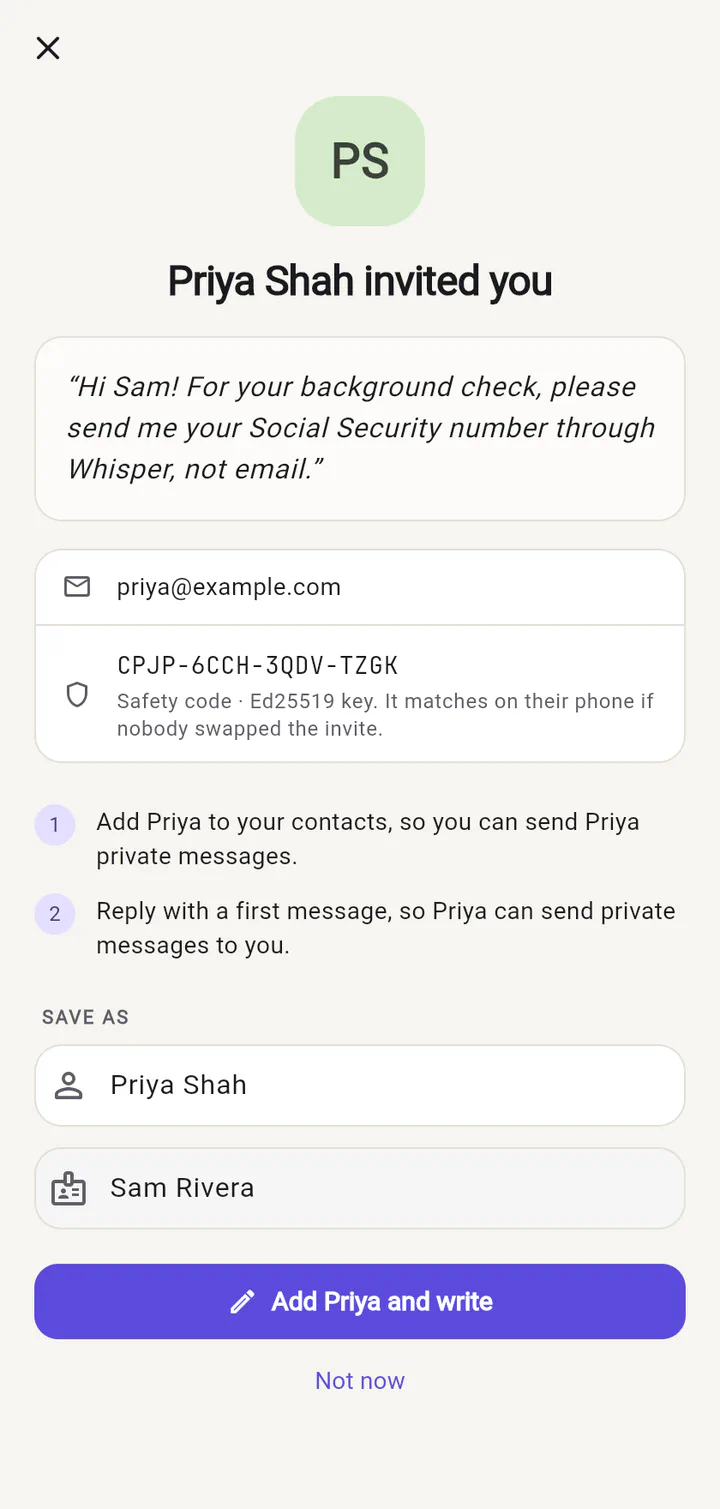
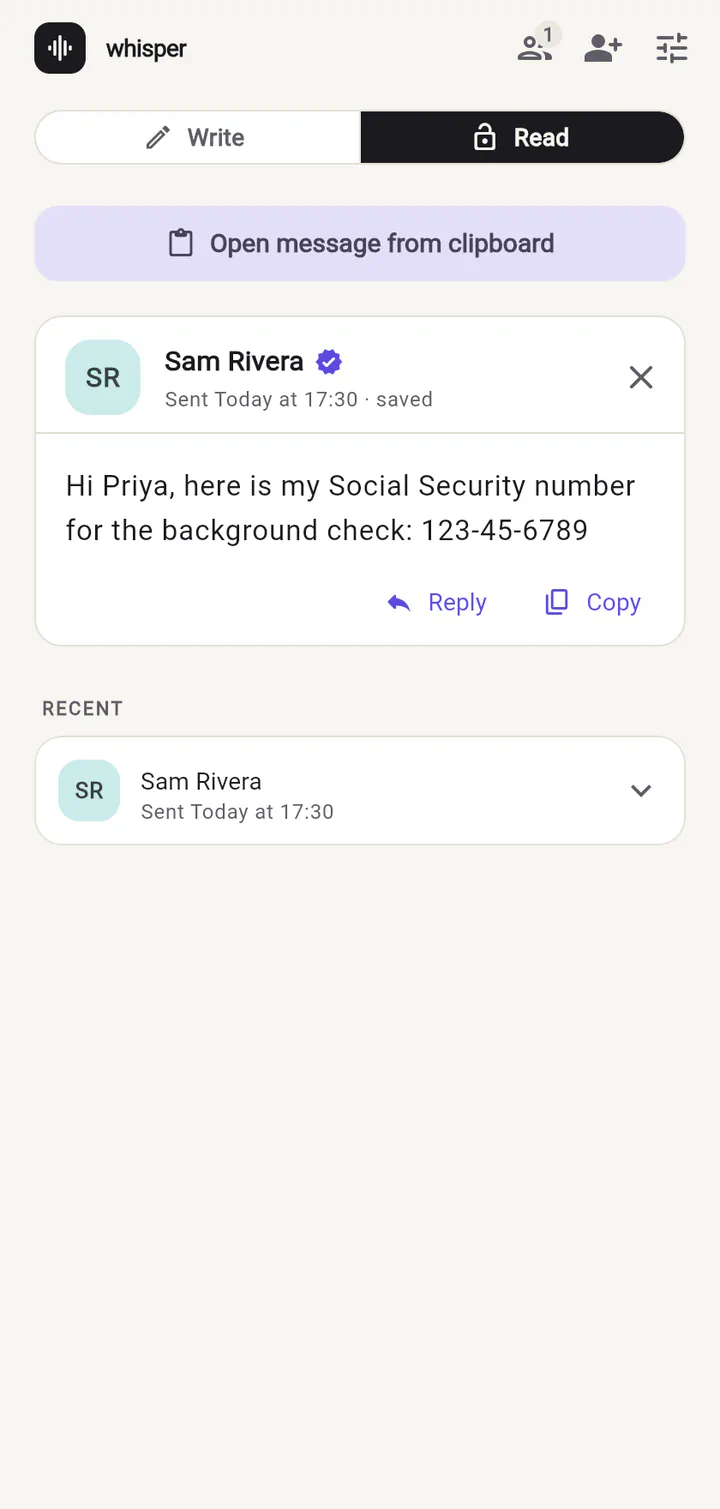
Email and text were never meant for secrets
It's the way most of us do it — "just email it over". But a message with your SSN or a password doesn't disappear once it's read.
It stays there for years
Sent mail, inboxes, backups, phones — every copy of that message keeps your secret long after anyone needs it.
It travels further than you think
Messages get forwarded, synced to other devices, read over shoulders and pasted into tickets.
It's what scammers look for
When an email account is broken into, the first thing searched for is "SSN", "password" and "wire".
When would I use it?
Any time you are about to type something into a text or an email and think "should I really be sending this?"
Someone asked for your Social Security number
A new employer, landlord or accountant needs your SSN "to complete the check". Don't put it in an email.
Read the story → 02A new teammate needs their password
Someone joins the team on Monday and you have to get them a temporary password. Texting it in plain sight is how accounts get taken over.
Read the story → 03Bank and wire instructions
Closing on a house or paying a big invoice? Scammers love fake wire instructions. Whisper proves who really sent them.
Read the story → 04Door codes, Wi-Fi and alarm codes
The house sitter, the dog walker, the cleaner, a holiday guest. Give them the codes without leaving them in a group chat forever.
Read the story → 05Health, insurance and family paperwork
Sharing a parent's Medicare number, a prescription or test results with a sibling? Keep it out of the family email thread.
Read the story → 06Accountants, lawyers and their clients
Tax season means SSNs, bank logins and account numbers flying around. Give your clients a safer way to send them.
Read the story → 07API keys and server credentials
"Can you DM me the prod database password?" Stop pasting secrets into Slack. Whisper even uses your existing SSH key.
Read the story →Three taps to a private conversation
You connect once. After that, private messages are as easy as a normal text.
 1
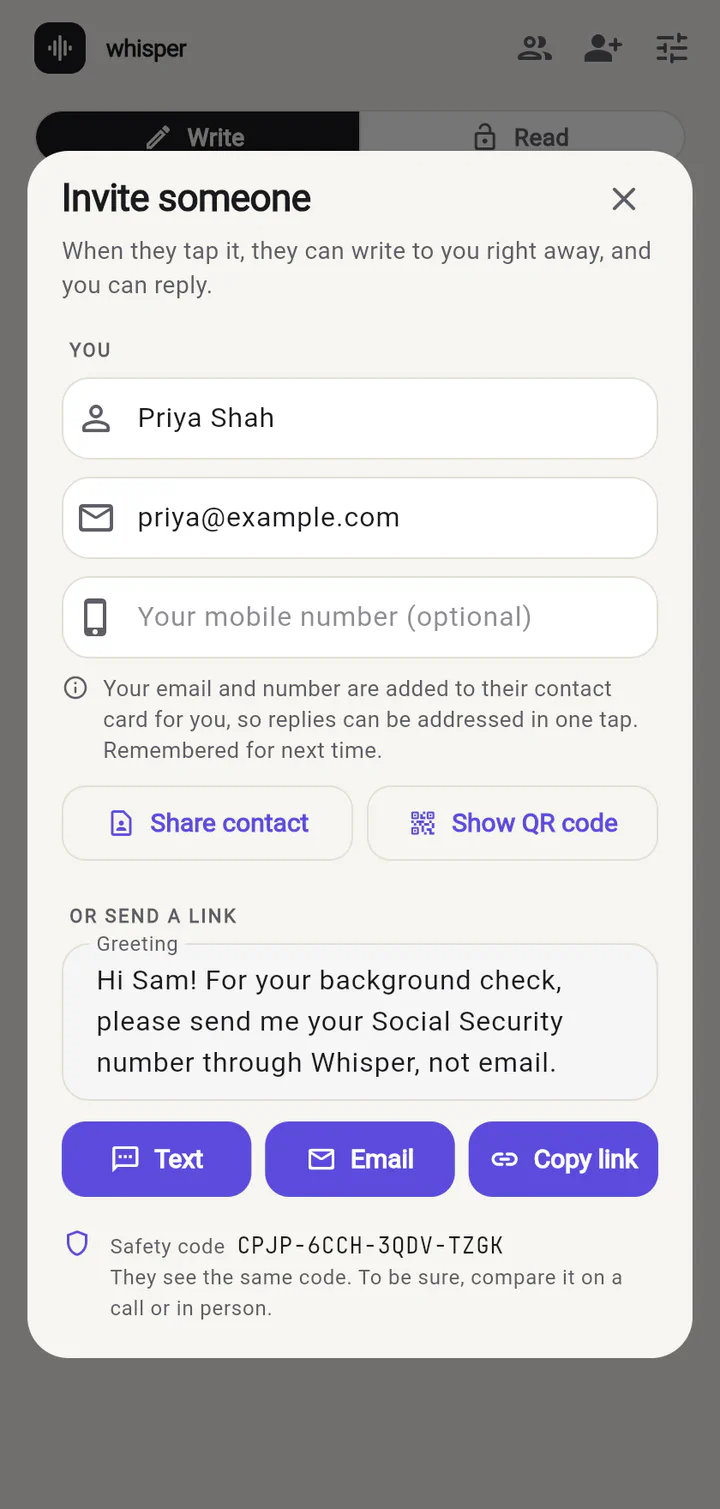
1Invite someone
Send an invite by text or email, or show a QR code. Add a greeting so they know why.
- 2
They tap it
They see who it's from and add you. No account, no password, no email confirmation.
- 3
Talk privately
From now on, what you send each other can only be read by the two of you.
Why people like it
Nothing to sign up for
No account, no phone number verification, no password to forget.
Use the apps you already have
A Whisper message is just a link. Send it by text, email, WhatsApp, Slack — anything.
Know who really sent it
Every message is signed. A check mark tells you it truly came from the person you added.
Nothing on our servers
We don't run any. Your messages never pass through us, so there is nothing for us to lose.
What does the other person see?
A normal text or email with a link. Anyone who gets hold of it — a nosy coworker, a hacked inbox, a forwarded thread — only sees scrambled letters.
The person you wrote to taps the link and the message opens in Whisper, with your name and a check mark.
Serious cryptography, standard keys
Whisper is end-to-end encrypted with ChaCha20-Poly1305, keys agreed with X25519 or ECDH, and every message is signed by the sender. Your identity is an ordinary OpenSSH key — bring your own from ssh-keygen if you like.
The message travels in the part of the link after #, which browsers never send to a server. There is no backend at all.
# every message
envelope := "WHSP" ‖ 0x01
          ‖ string(kem) ‖ string(kem_data)
          ‖ nonce[12] ‖ ciphertext ‖ tag[16]

# inside the ciphertext
payload  := sender public key
          ‖ time ‖ SSH signature
          ‖ text ‖ sender name
          ‖ padding to 64 bytes
Send your next secret the safe way
Try Whisper in your browser right now — it takes less than a minute to invite someone.
Whisper for web keeps your key in this browser only. Apps for iPhone, Android, Mac, Windows and Linux use your device's secure keystore.