How Whisper works
No accounts, no servers, no jargon. You connect with someone once, and from then on your messages are for their eyes only.
The idea in one paragraph
Think of Whisper as giving each person a padlock that only they have the key to. When you connect with someone, you swap open padlocks. To send them something, Whisper puts your message in a box, snaps their padlock shut on it and hands you the box as a link. You can send that link any way you like — text, email, chat. Anyone can see the box; only they can open it. And because you also sign the box, they know it came from you.
Step 1 · Connect once, with an invite
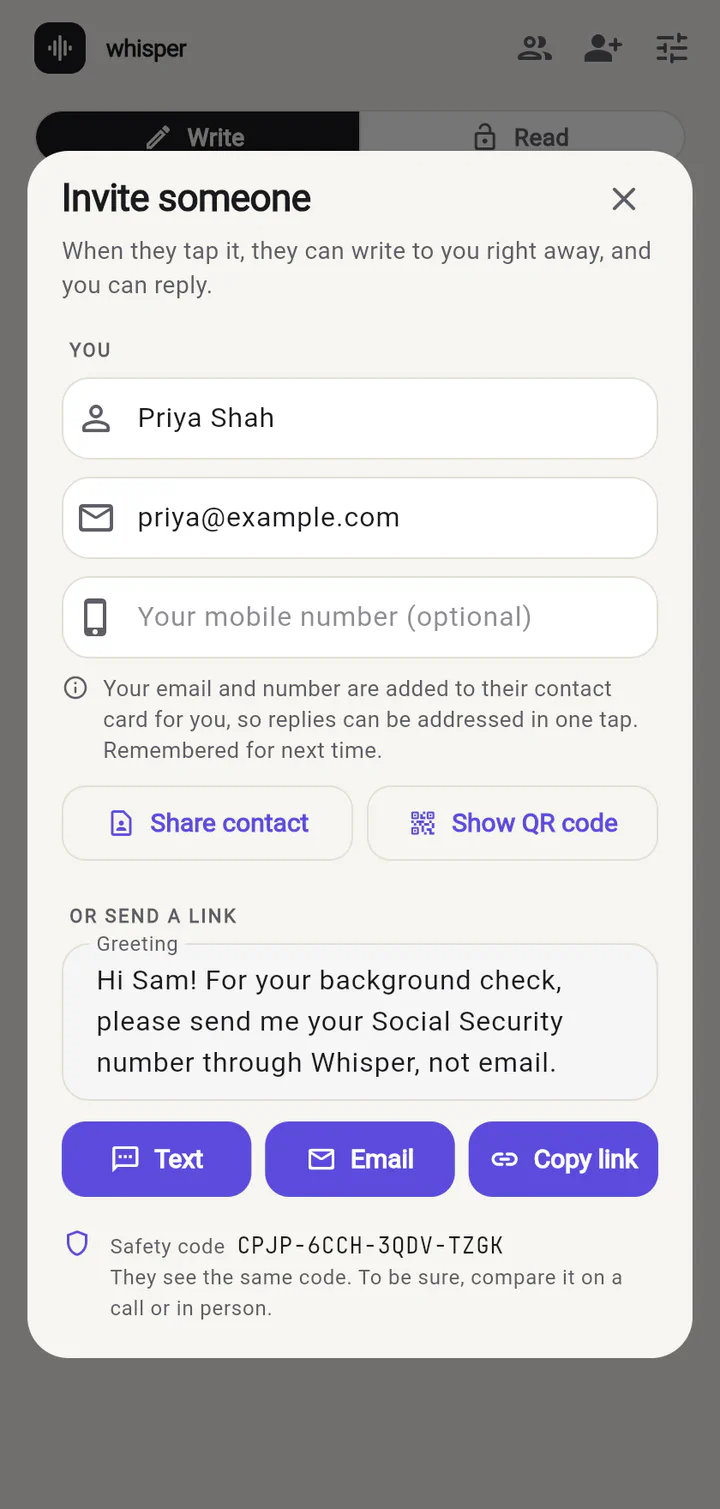
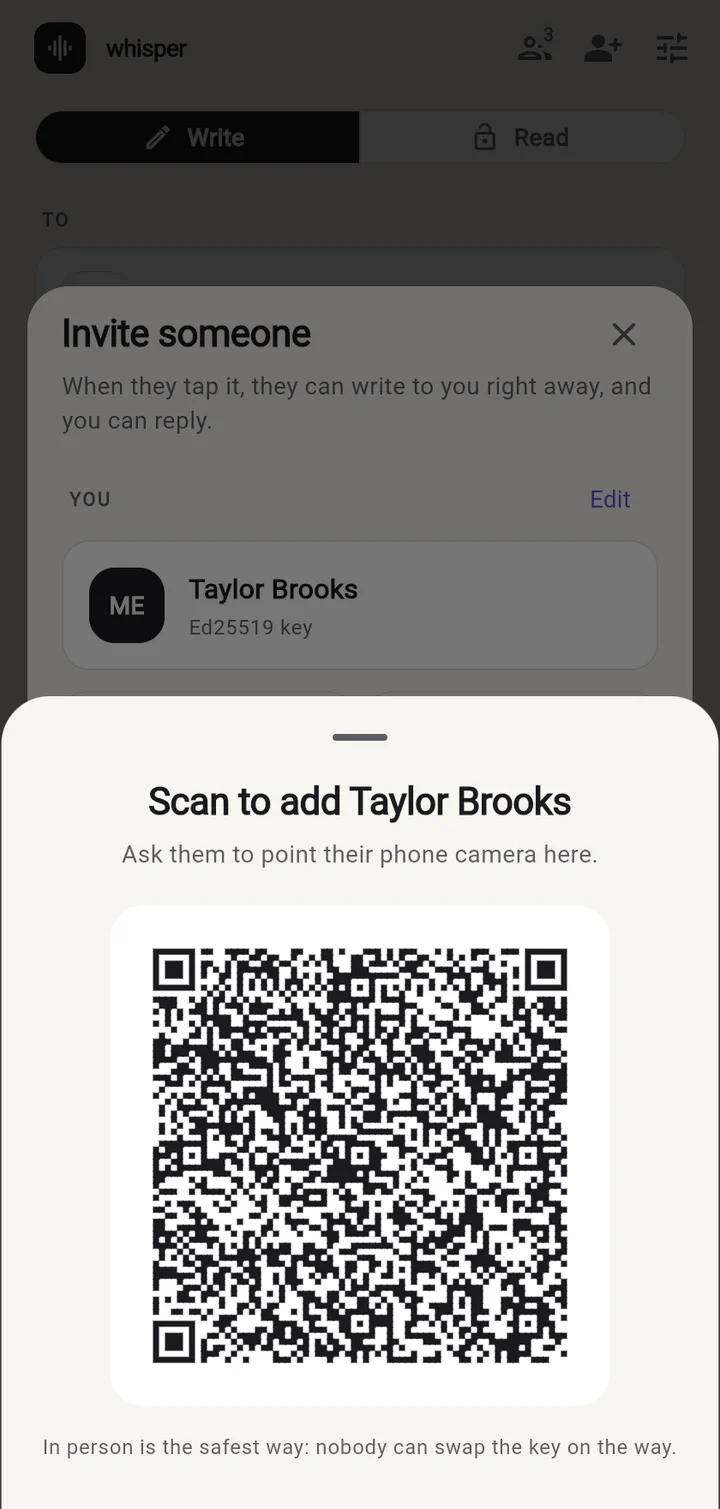
Tap Invite someone, type your name the way they know you, and add a greeting. Then send the invite by Text or Email, or show a QR code if you’re together.
Step 2 · They tap the link
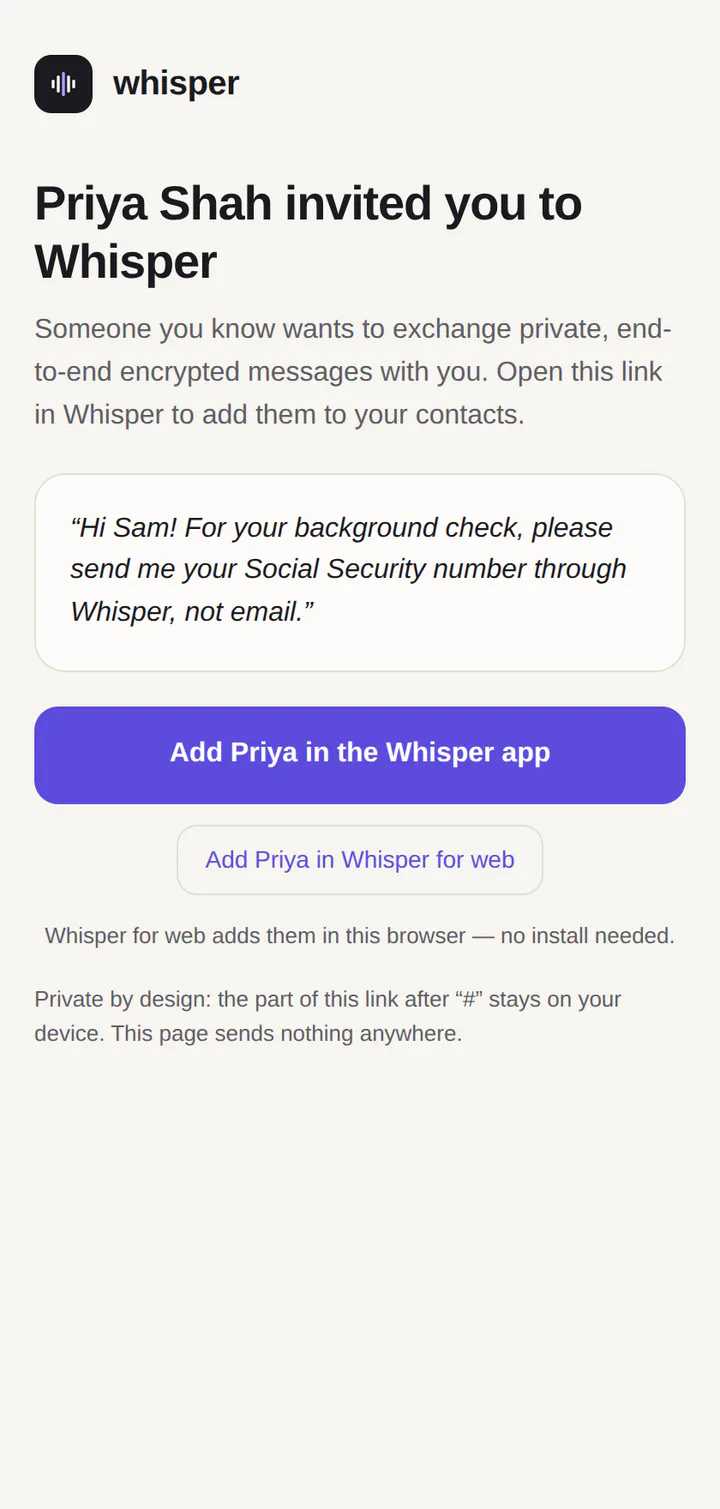
The person you invited sees who it’s from and your greeting. If they don’t have Whisper yet, the link opens a page where they can use Whisper for web right away — nothing to install.
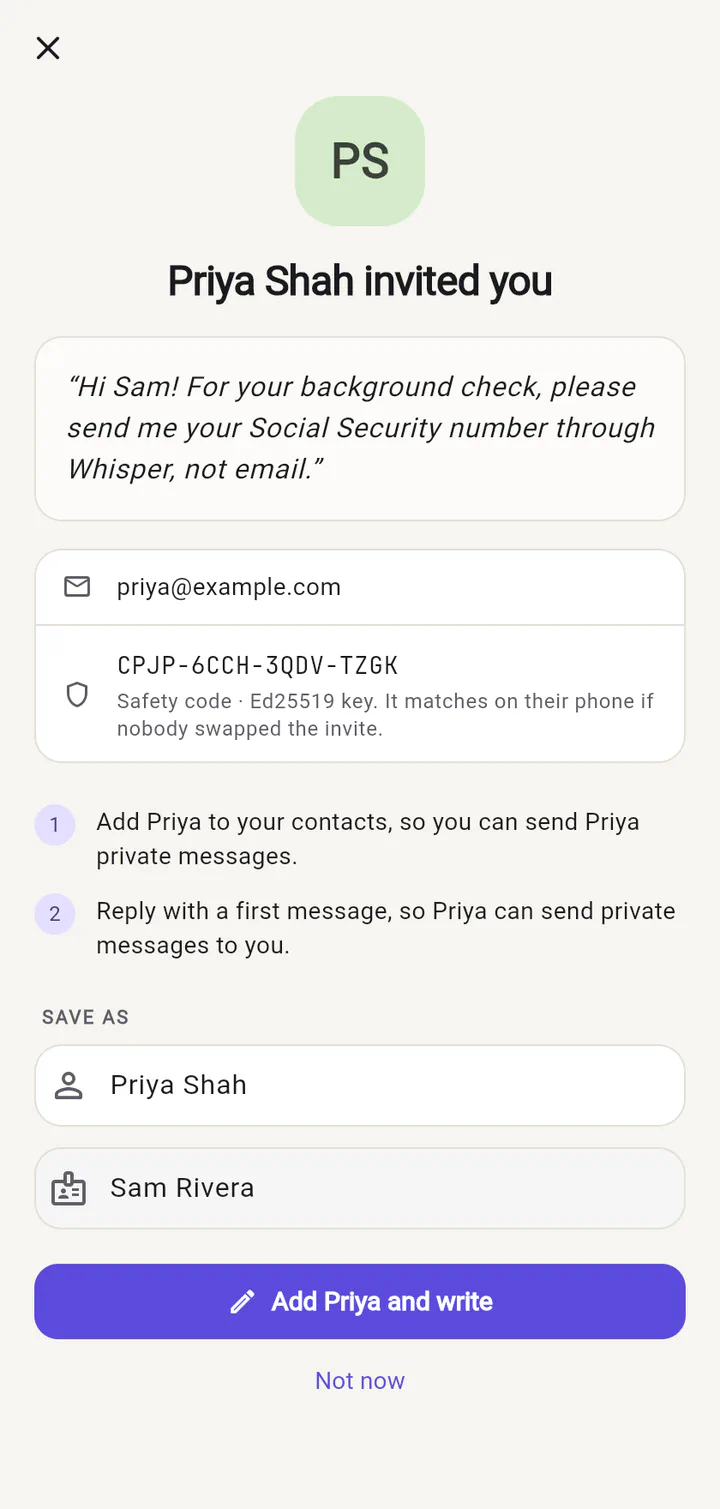
They add you and send a first message — even just “hi!”. That first message is what lets you write back to them, and when it arrives you just tap Reply.
Step 3 · Send private messages
Pick a person, type your message and tap Email, Text or Share. Whisper scrambles the message on your phone and opens your usual app with a link in it. Whisper itself never sends anything.
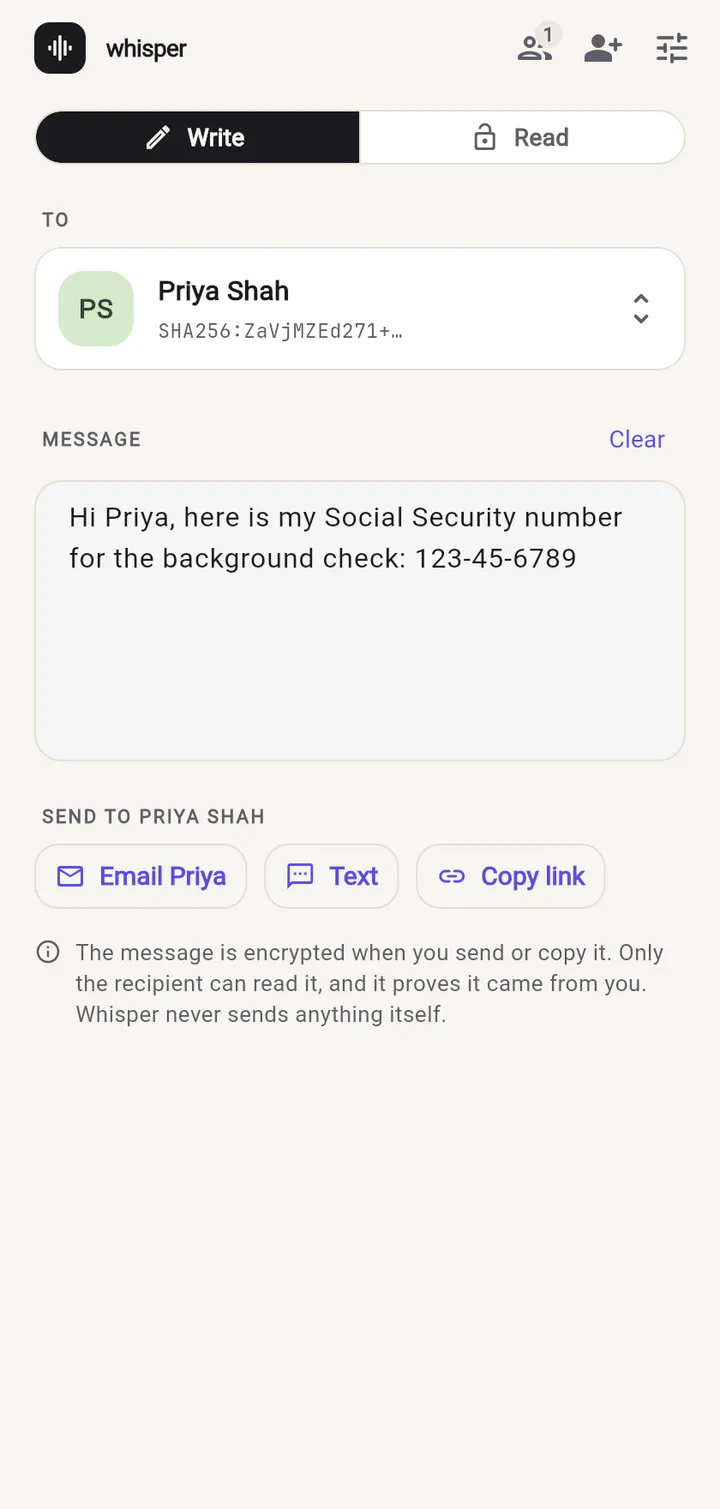
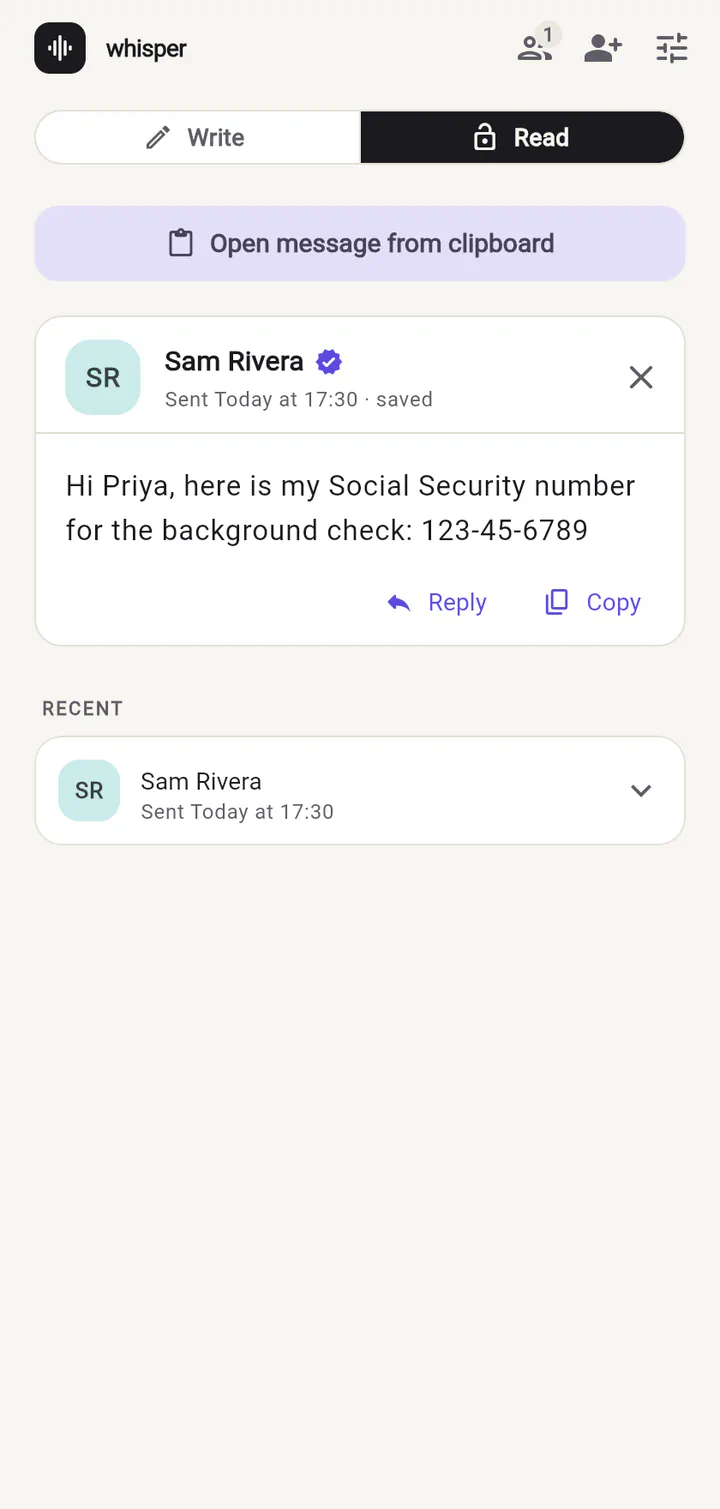
What it looks like on the way
To everyone except the person you wrote to, a Whisper message is just a long, meaningless link:
The safety code
When you invite someone, you both see the same safety code — something
like 7C6T-9AFK-SPDS-CYVZ. If you want to be completely sure nobody tampered
with the invite on its way, read it to each other on a phone call. Meeting in
person and scanning the QR code does the same job automatically.
Where can I use it?
Whisper runs on iPhone, Android, Mac, Windows and Linux, and in any modern web browser as Whisper for web. The apps keep your key in your device’s secure keystore and can be locked with Face ID, a fingerprint or your passcode. Try the web version now.
Ready to try it?
Whisper for web runs right in your browser. Invite someone and send your first private message in under a minute.