API keys and server credentials
Chat tools are where secrets go to live forever. Whisper gives developers and ops teams a quick way to hand over a key — using the SSH keys they already have.
The situation
A contractor needs read access to a staging database. Someone asks in the team channel, and a helpful teammate pastes the connection string. It is now in the workspace’s search index, its exports, and every laptop’s cache, until someone remembers to rotate it (they won’t).
Pasting into chat or a ticket
- Indexed, searchable and exported with the workspace
- Visible to every future member of the channel
- Integrations and bots can read it too
Sending it with Whisper
- Paste the link in Slack — the channel only sees ciphertext
- Encrypted to the recipient’s OpenSSH public key
- Signed, so they know the key really came from you
Bring your own key
Whisper’s identity is an OpenSSH key pair. It makes a fresh ed25519 key the
first time it runs, but you can import the one you already use with
ssh-keygen — ed25519, ECDSA or RSA (2048 bits and up), passphrase-protected
or not — and export Whisper’s key back out in the OpenSSH format.
That means you can add a teammate by pasting the same public key that’s in
their authorized_keys or on their GitHub profile.
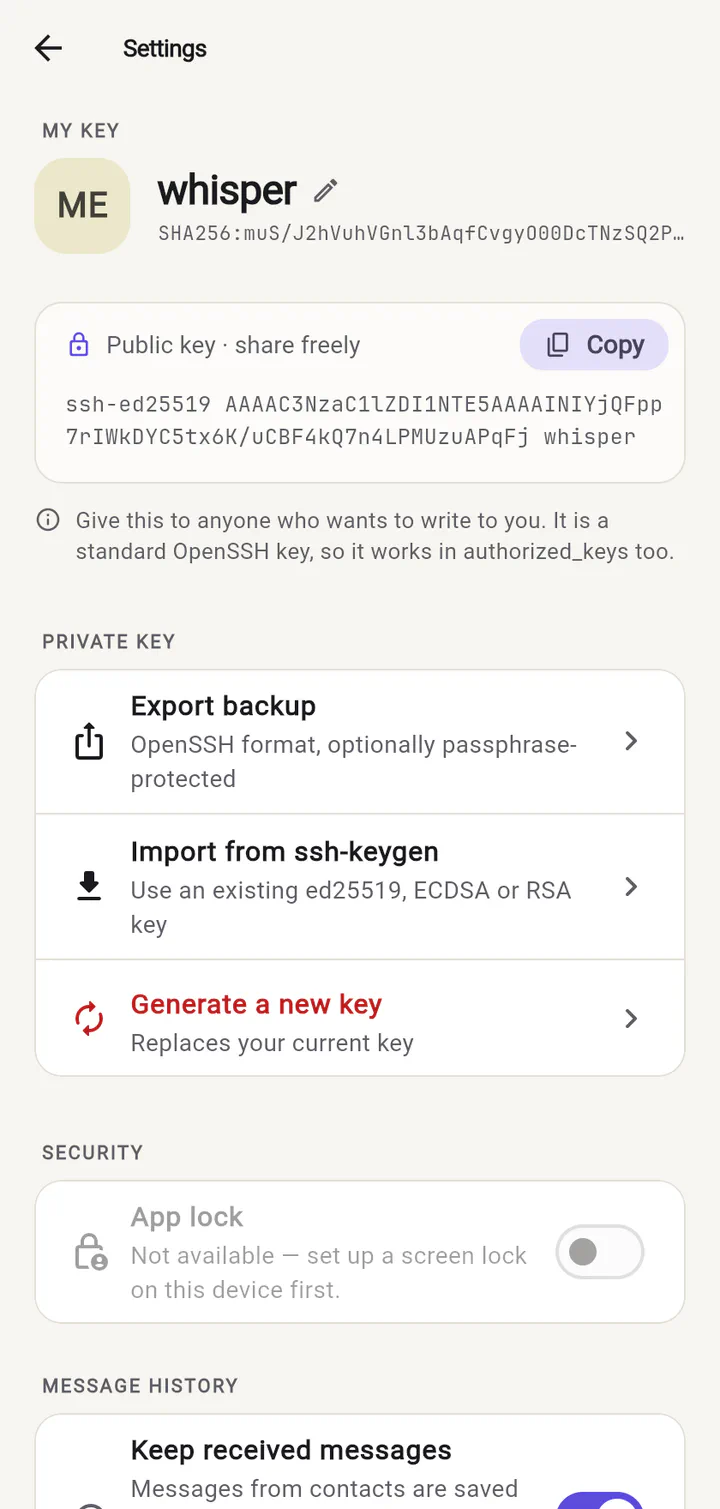
ssh-keygen and export.Curious how it works? The technical section covers the message format, key types and what Whisper protects against.
Ready to try it?
Whisper for web runs right in your browser. Invite someone and send your first private message in under a minute.