Use case
A new teammate needs their password
A new hire starts tomorrow and needs a login. You have their personal phone number and nothing else. Here’s how to get them a password without it sitting in a text thread forever.
The situation
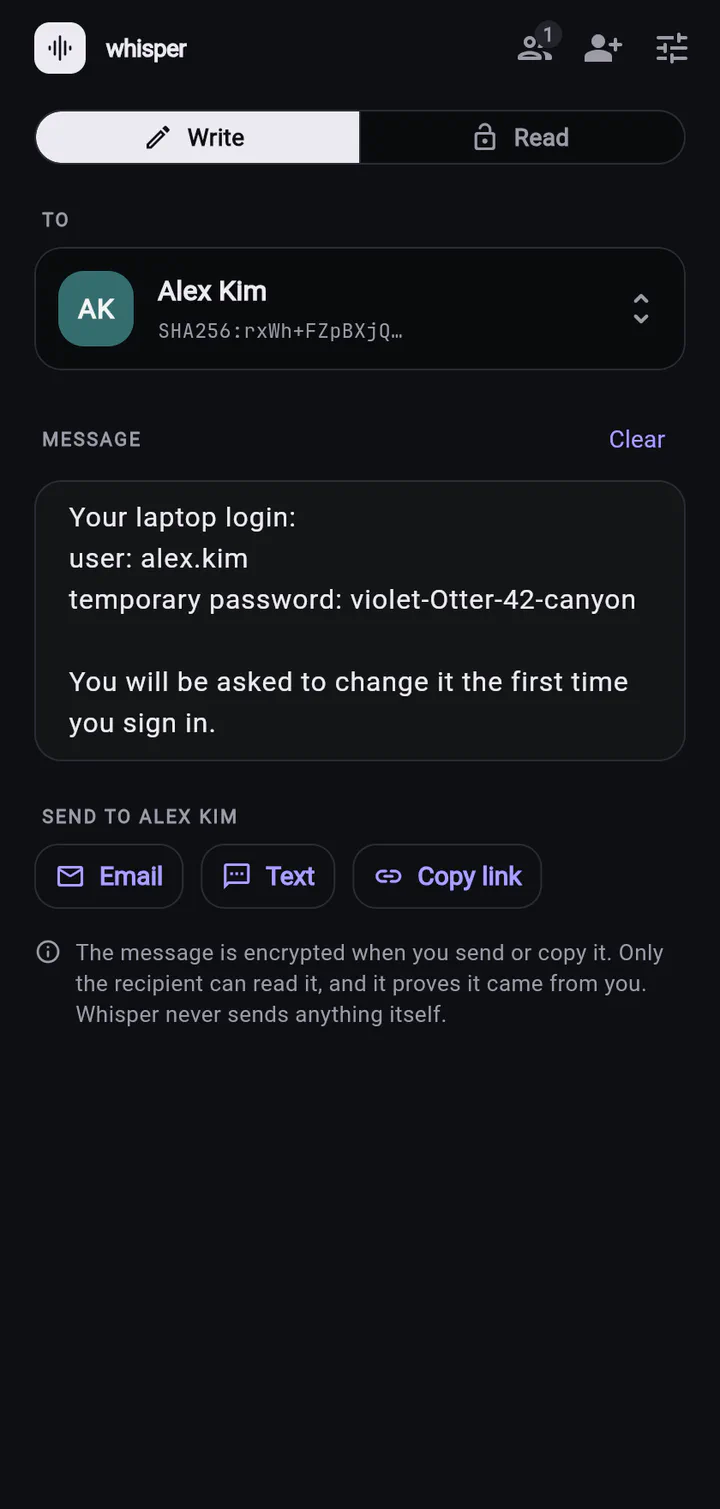
Jordan manages IT for a small office. Alex starts on Monday, doesn’t have a work email yet, and needs a password for the laptop waiting on their desk. The usual answer is a text message: “your temp password is violet-Otter-42”.
That text will stay on Alex’s phone, on Jordan’s phone, in both of their cloud backups, and — if Jordan’s phone syncs messages to a laptop — there too. A temporary password has a way of becoming the permanent one.
Texting the password
- Readable on any lock screen notification
- Copied into phone and cloud backups
- Anyone with the phone (or the backup) can read it later
- Alex can’t be sure the text really came from IT
Sending it with Whisper
- The text only contains a scrambled link
- Only Alex’s phone can open it
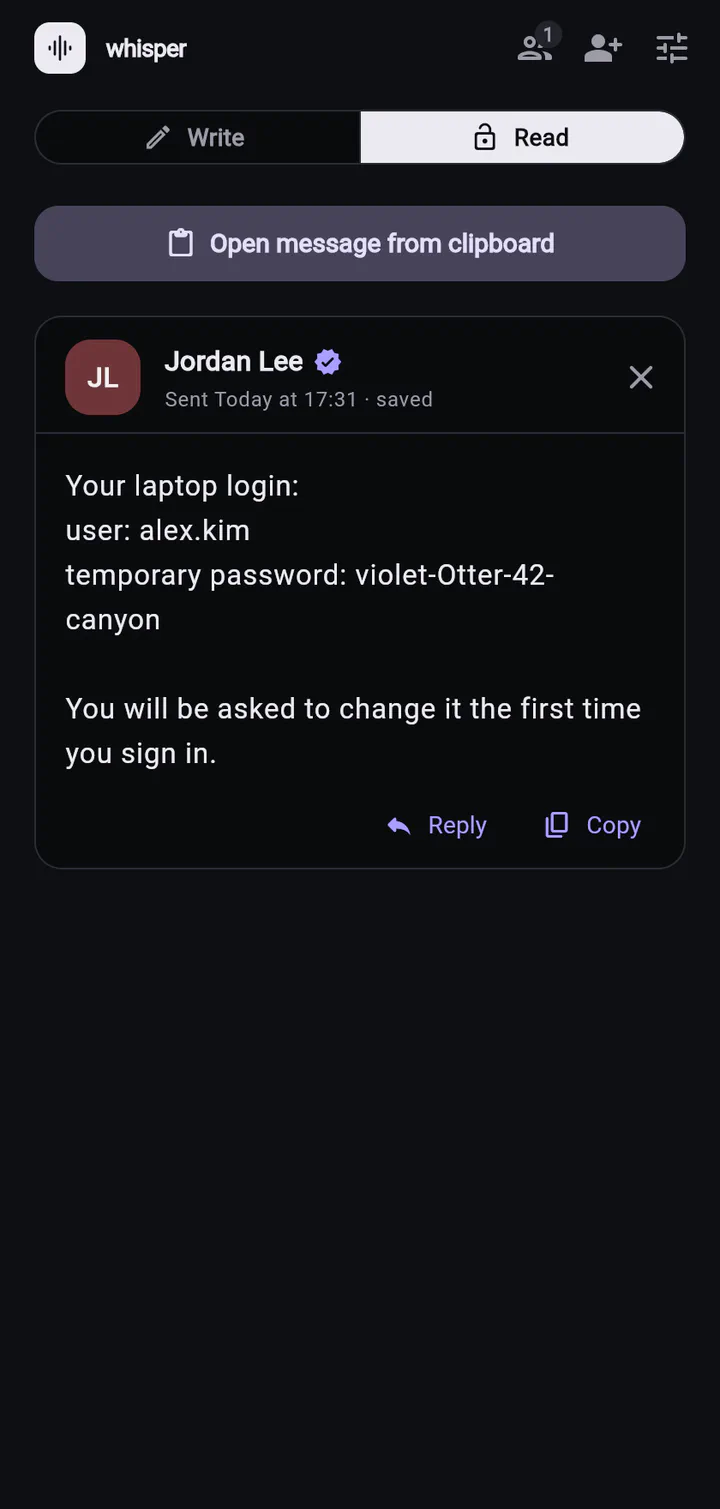
- Signed by Jordan — a phishing text can’t fake it
- Alex can read it in a browser, even before the laptop is set up
How it goes
- Jordan invites Alex by text: “Welcome to the team! Add me so I can send you your login.”
- Alex taps the link and adds Jordan. Whisper suggests a first hello — Alex sends it back. That hello is what lets Jordan write to Alex.
- Jordan taps Reply on that hello, types the login, and taps Text.
Also works for
- Wi-Fi passwords for the office or a guest network
- Shared account logins (the social media account, the building portal)
- Recovery codes for two-step verification
- The code to the supply closet — see codes and keys
Ready to try it?
Whisper for web runs right in your browser. Invite someone and send your first private message in under a minute.