Someone asked for your Social Security number
A new job, an apartment application, a loan — sooner or later someone writes “please send us your SSN to complete the background check.” Here is how to do it without leaving it in anyone’s inbox.
The situation
Sam just accepted a new job. The next morning an email arrives from Priya in HR: “Congratulations! To complete your background check, please reply with your Social Security number and date of birth.”
Replying would be the easy thing to do. But that reply would sit in Sam’s Sent folder, in Priya’s inbox, in the company’s email archive and on every phone either of them has signed into — for years. If any one of those accounts is ever broken into, Sam’s identity goes with it.
Replying by email
- A copy lives in both inboxes, backups and archives, indefinitely
- Anyone who breaks into either account can search for “SSN”
- Easy to forward, reply-all or send to the wrong Priya
- You can’t tell if the request really came from HR
Sending it with Whisper
- The email only carries scrambled text that no one else can read
- Only Priya’s phone can open it — not Google, not Microsoft, not us
- Priya sees a check mark proving it came from Sam
- Sam knows he is writing to the Priya who sent the invite
How it goes
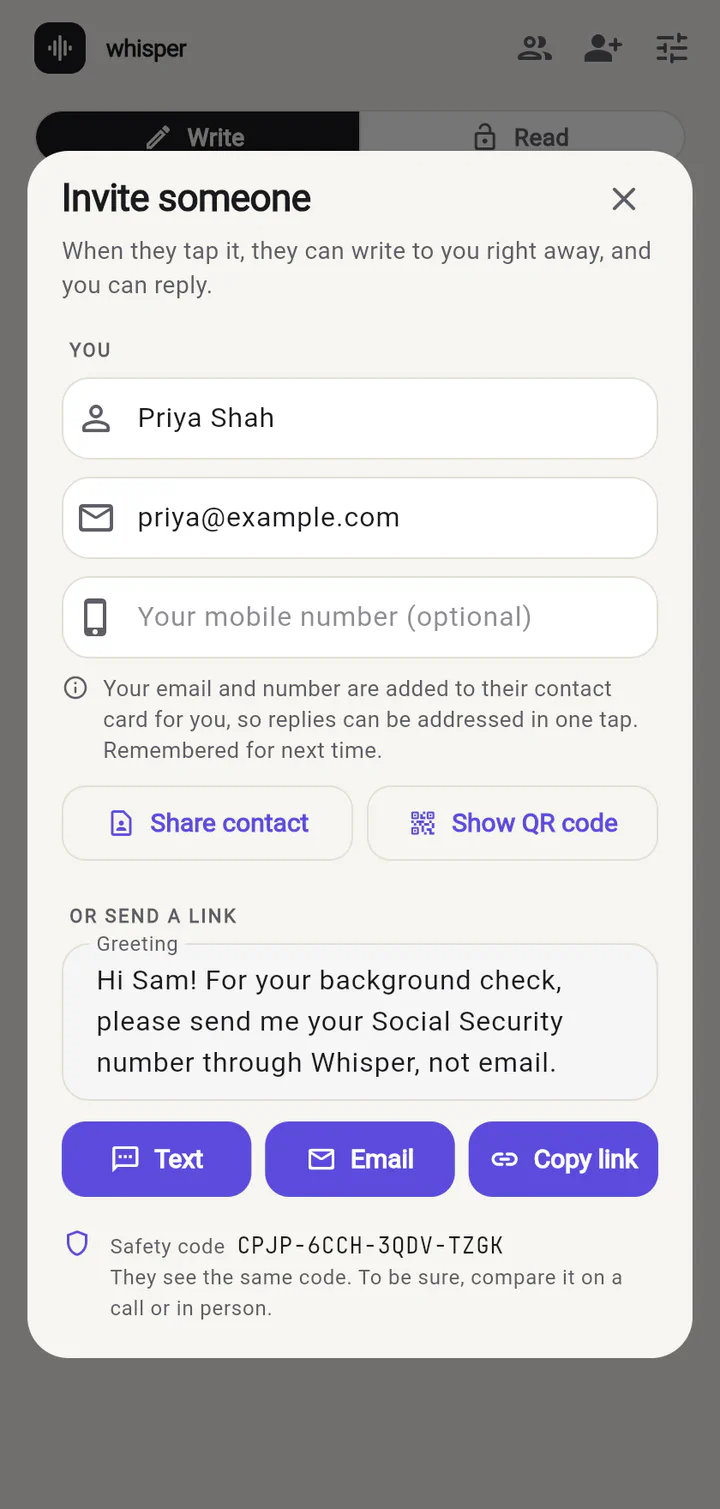
1. Priya sends an invite. Because she is the one asking for the number, she invites Sam, with a short greeting so he knows why. She can send it by text, by email, or show a QR code if they’re in the same room.
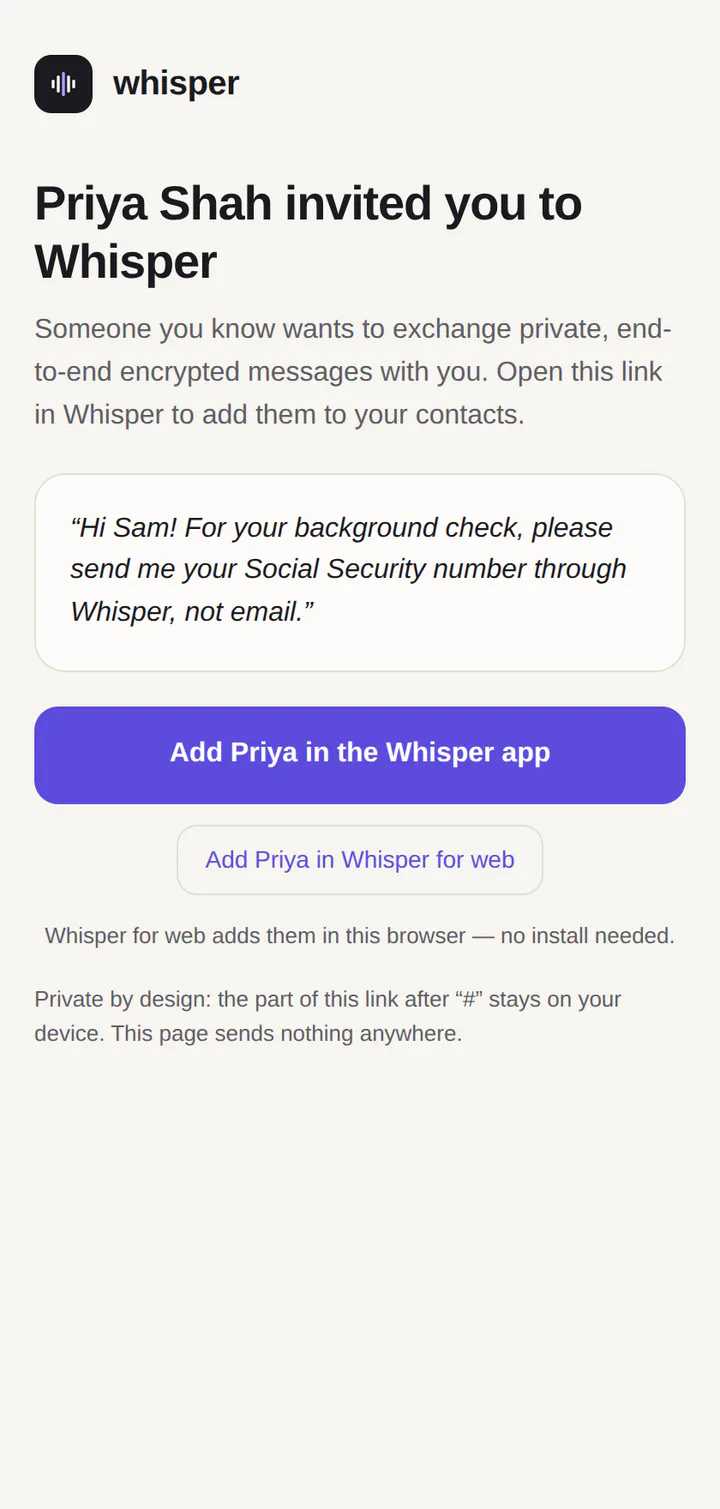
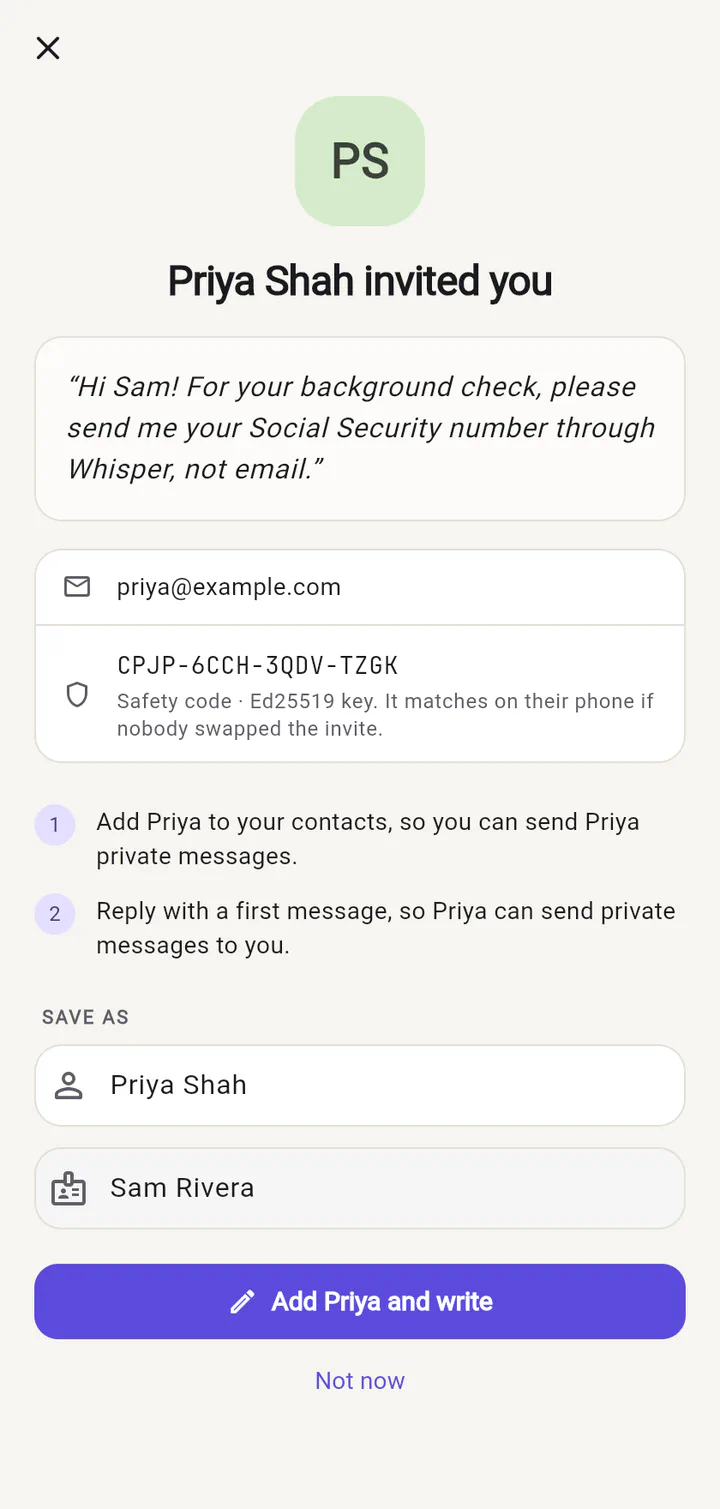
2. Sam adds Priya. Whisper shows who the invite is from and her greeting. One tap adds her and opens a message to her.
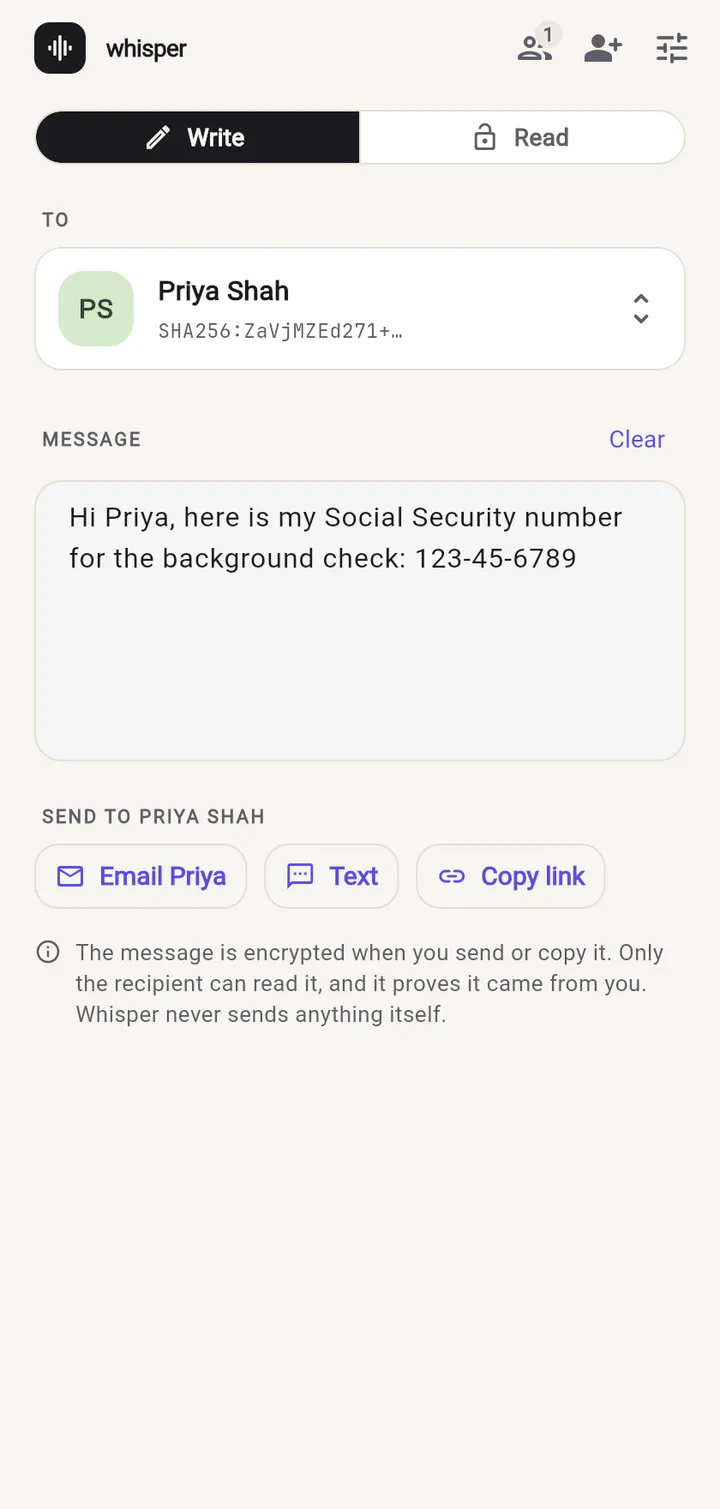
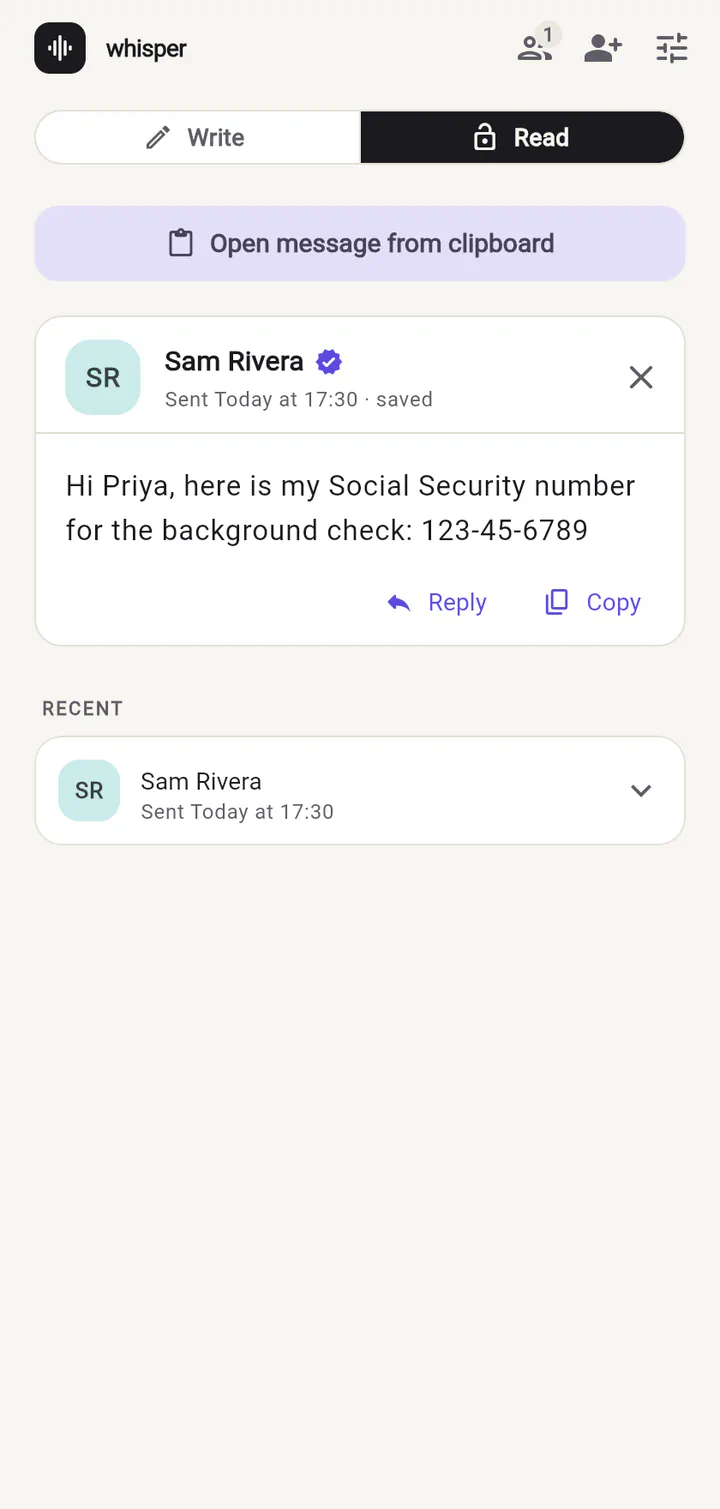
3. Sam types his number and sends it. He taps Email or Text, and his usual app opens with a link in it. That link is the only thing that goes through email.
Also works for
- Your date of birth, driver’s license or passport number for a travel booking
- Tax ID numbers (EIN/ITIN) for a new client or contractor
- The last four digits of a card when a vendor needs to “verify your identity”
Ready to try it?
Whisper for web runs right in your browser. Invite someone and send your first private message in under a minute.